Overview
In this article, we will review how to modify care tasks.
Manually Generate Tasks After a Change
If changes are made to any Care Tasks and it’s desired to realize these changes for the current day for any upcoming or not completed tasks, please navigate to the Resident’s profile and do the following:
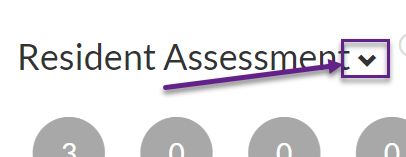
Step 1: Scroll down to Resident Assessment and click on the down arrow
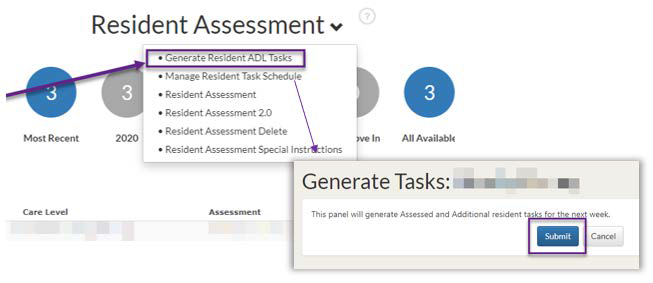
Step 2: Click on Generate Resident ADL Tasks
Note: Care Tasks are automatically generated daily. Please allow any changes to tasks to be reflected after the process runs (during the next day):
- Any changes to a Resident’s scheduled tasks
- The addition, removal, or modification of any Additional Resident tasks
- New Assessment > Generated tasks
Was this article helpful?
That’s Great!
Thank you for your feedback
Sorry! We couldn't be helpful
Thank you for your feedback
Feedback sent
We appreciate your effort and will try to fix the article