Overview
In this article, we will review Resident Note Follow Ups - how they're created and how to conduct the follow up procedure to ensure all necessary documentation is captured.
Follow Ups 101
When Resident Notes are created, users may elect to include Follow Ups. This process includes indicating how many Follow Ups should be conducted and when those Follow Ups should take place.

Resident Notes will not be complete until ALL Follow Ups have been documented.
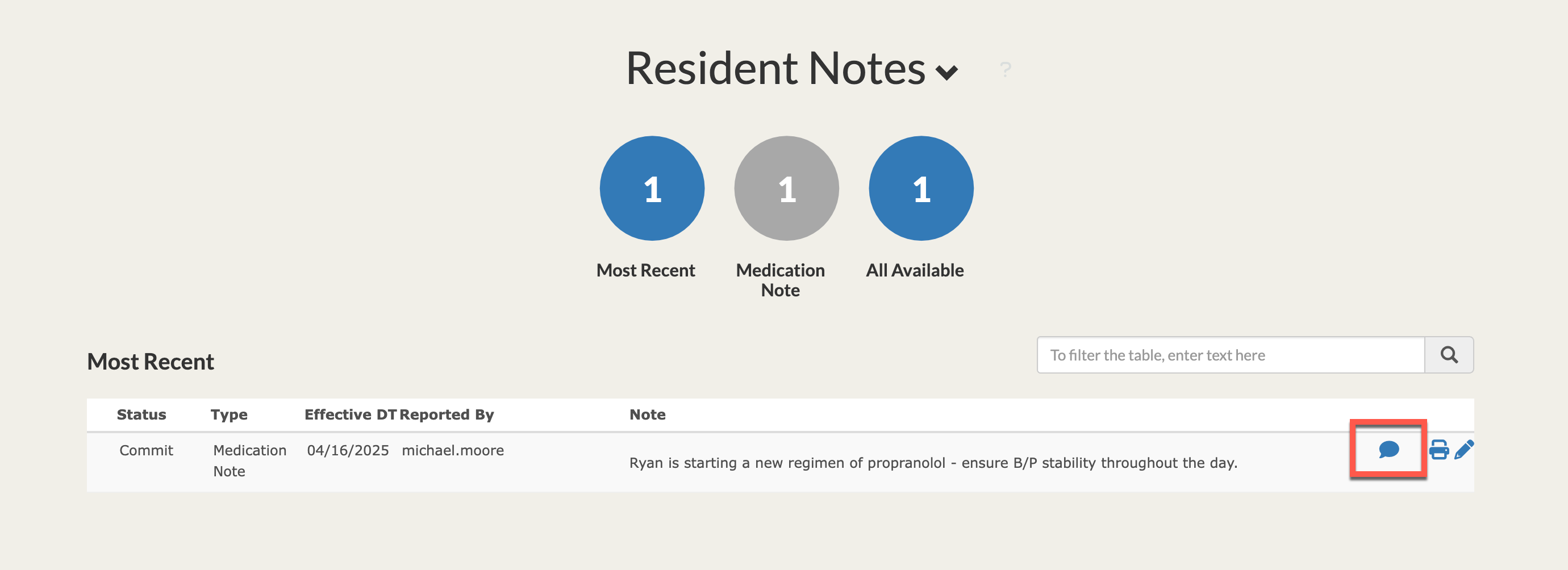
Users can track Resident Note Follow Ups on the resident's profile in the Notes Module and on the Aline Care Dashboard chart on the Note Follow-Up Column.

How to Follow Up on Resident Notes
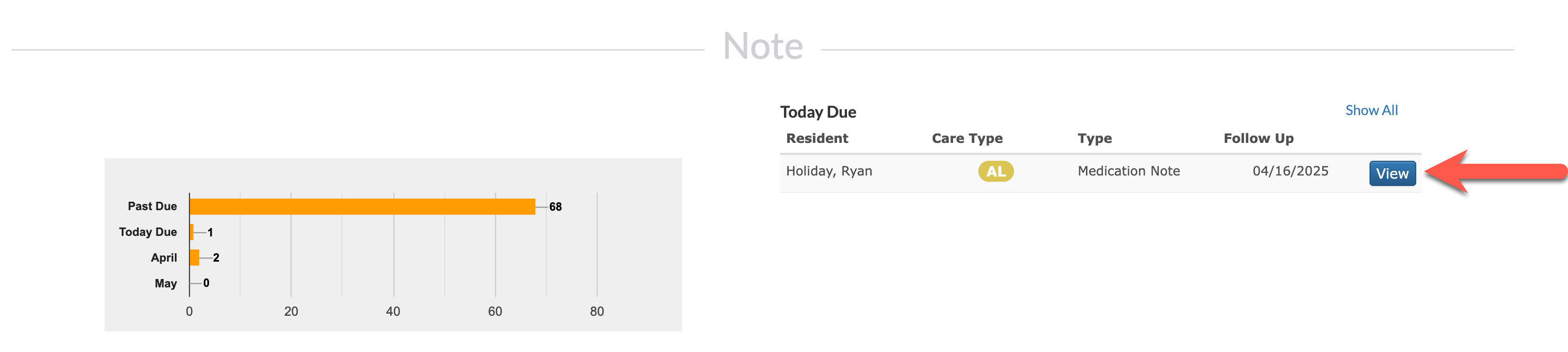
Required Resident Note Follow Ups can be tracked from the Notes Module on each resident's profile and on the Aline Care Dashboard chart on the Note Follow-Up column.
Step 1: Either navigate to the Notes Module on a resident's profile and select the speech bubble icon OR select the Note Follow-Up expander icon on the Aline Care dashboard chart and select View on the desired note.

OR
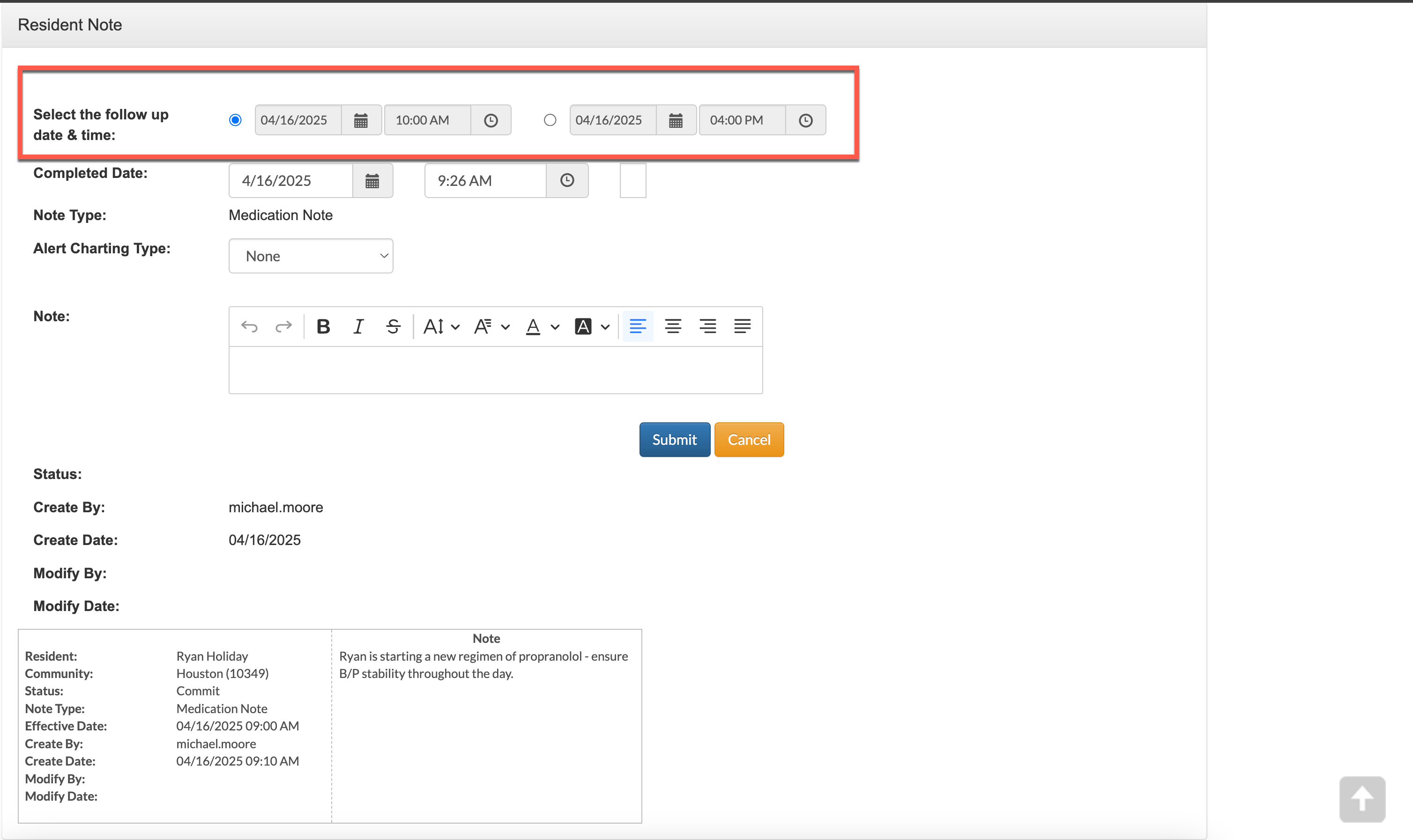
Step 2: After selecting the speech bubble, the follow up information can be provided. In this example, two follow ups were required when the original note was created. Before providing the follow up information, confirm that the follow up date and time is correct - adjust if necessary.
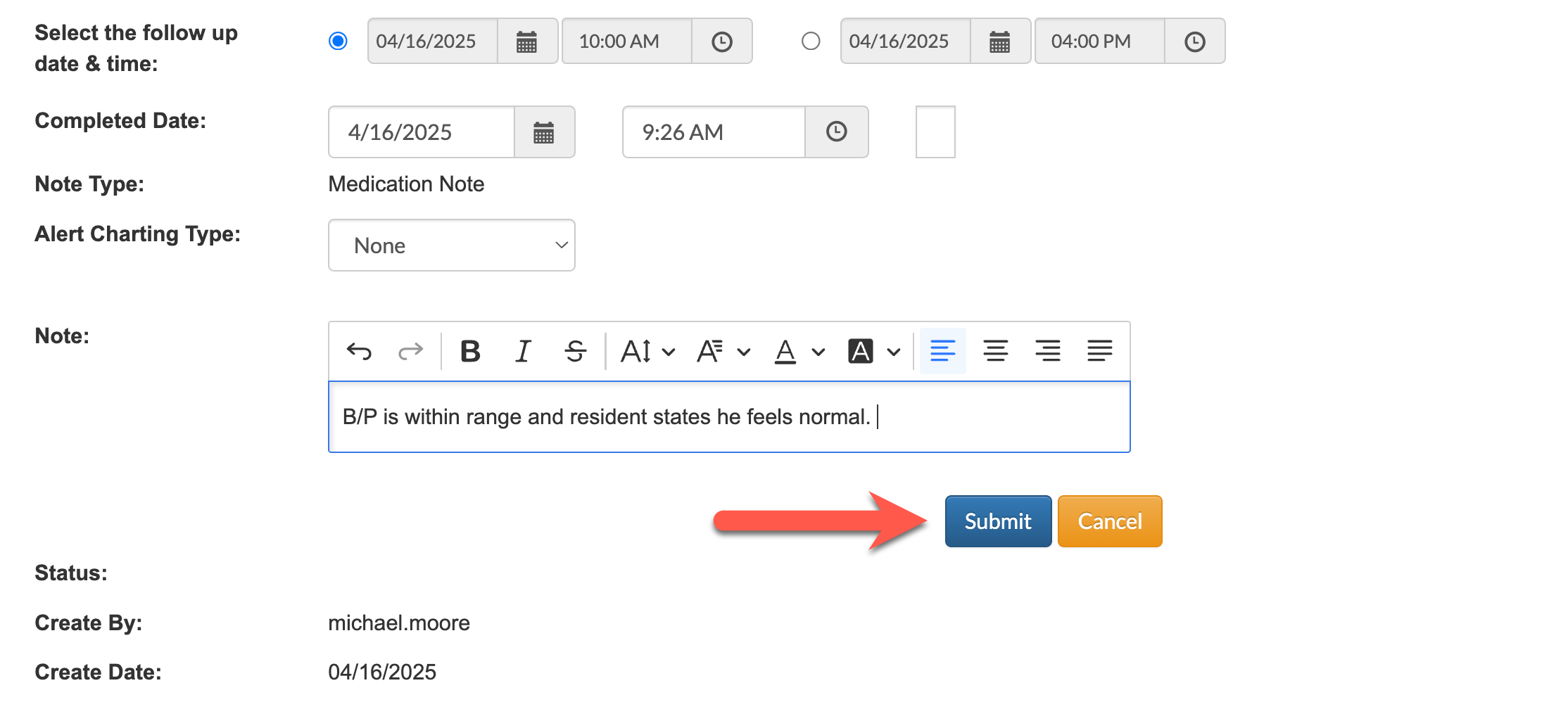
Next, provide the follow up information and select Submit to save the Resident Note Follow Up.
Once all follow ups have been completed, the speech bubble icon will disappear as the note is fully documented.
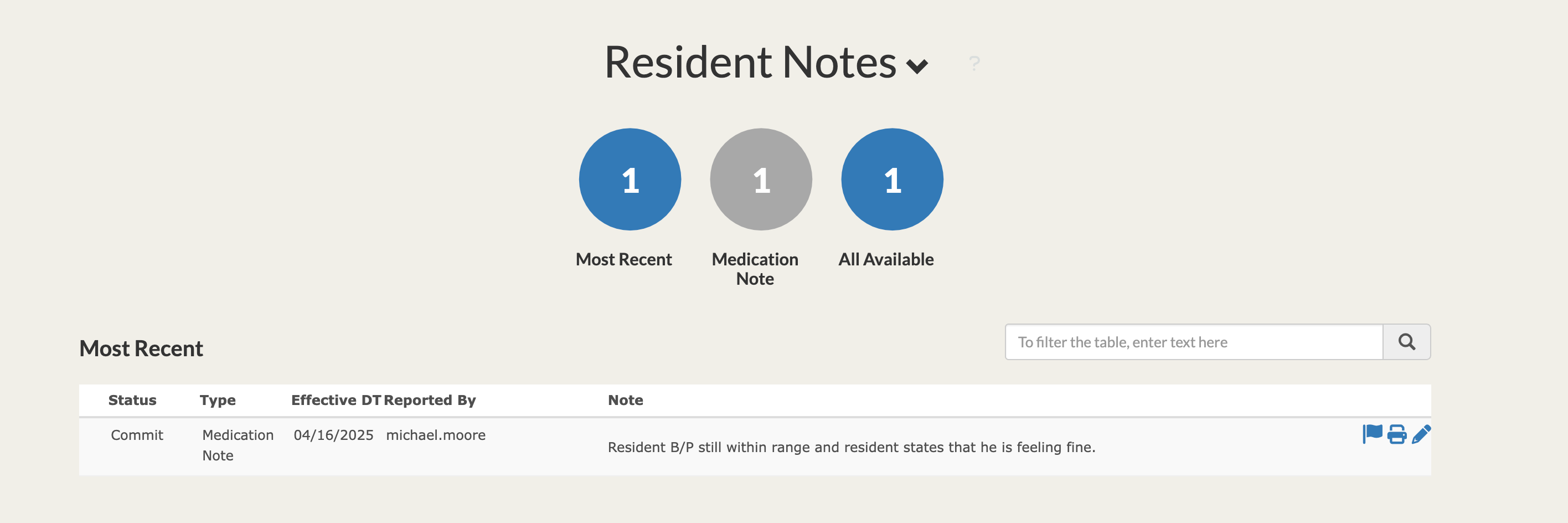
Resident Notes can be reviewed by running the Resident Notes Report or by printing resident notes directly from the profile by selecting the printer icon next to the desired note.
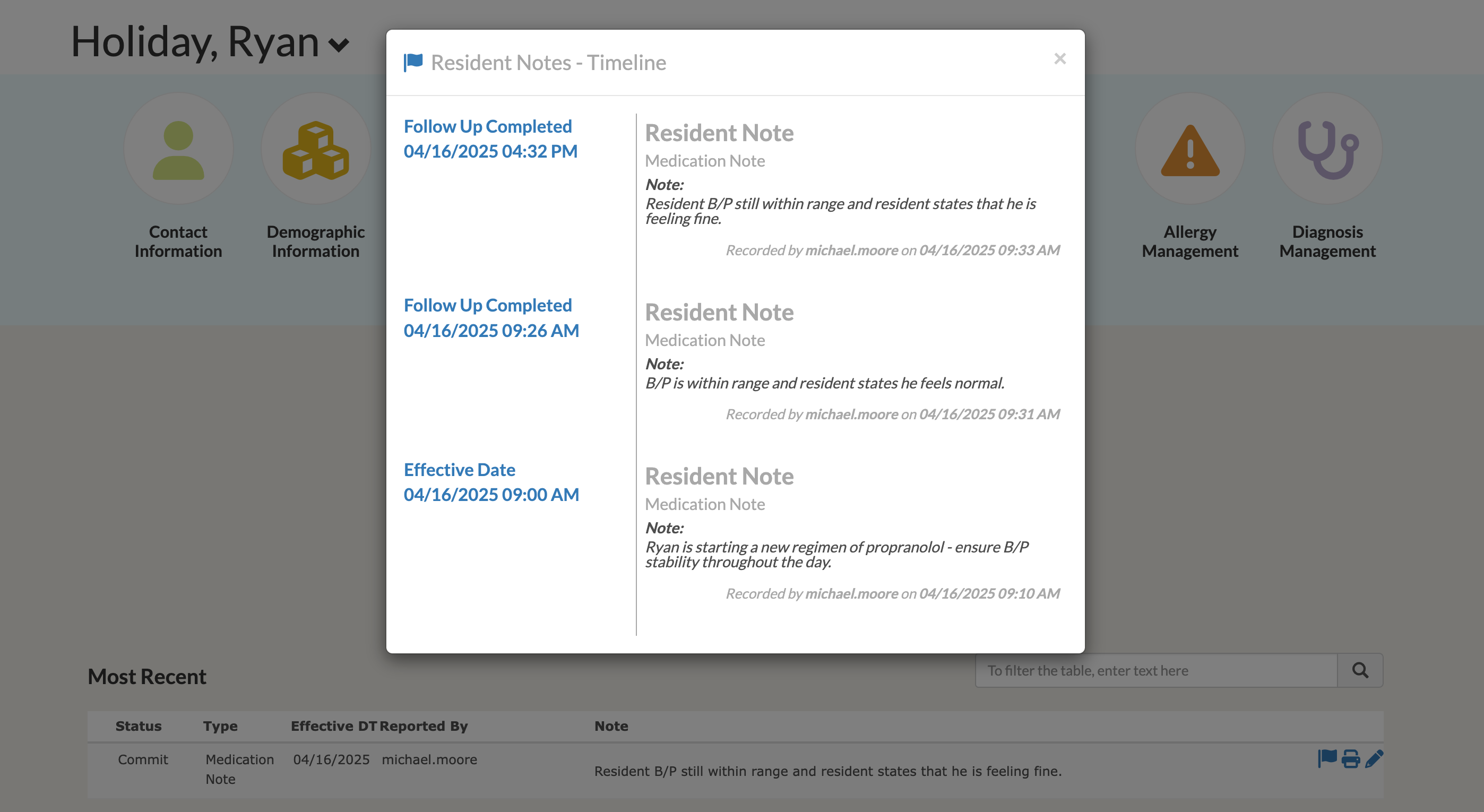
Users can also select the flag icon to review the notes full history from the resident's profile.
Was this article helpful?
That’s Great!
Thank you for your feedback
Sorry! We couldn't be helpful
Thank you for your feedback
Feedback sent
We appreciate your effort and will try to fix the article