Overview
In this article, we will review the four steps to modify a resident's ambulatory status.
Video Tutorial
Steps on How to Modify Resident Ambulatory Status
Step 1: Choose a resident from the “Resident…” menu located in the menu bar at the top of every page. This will redirect you to the resident’s profile page.

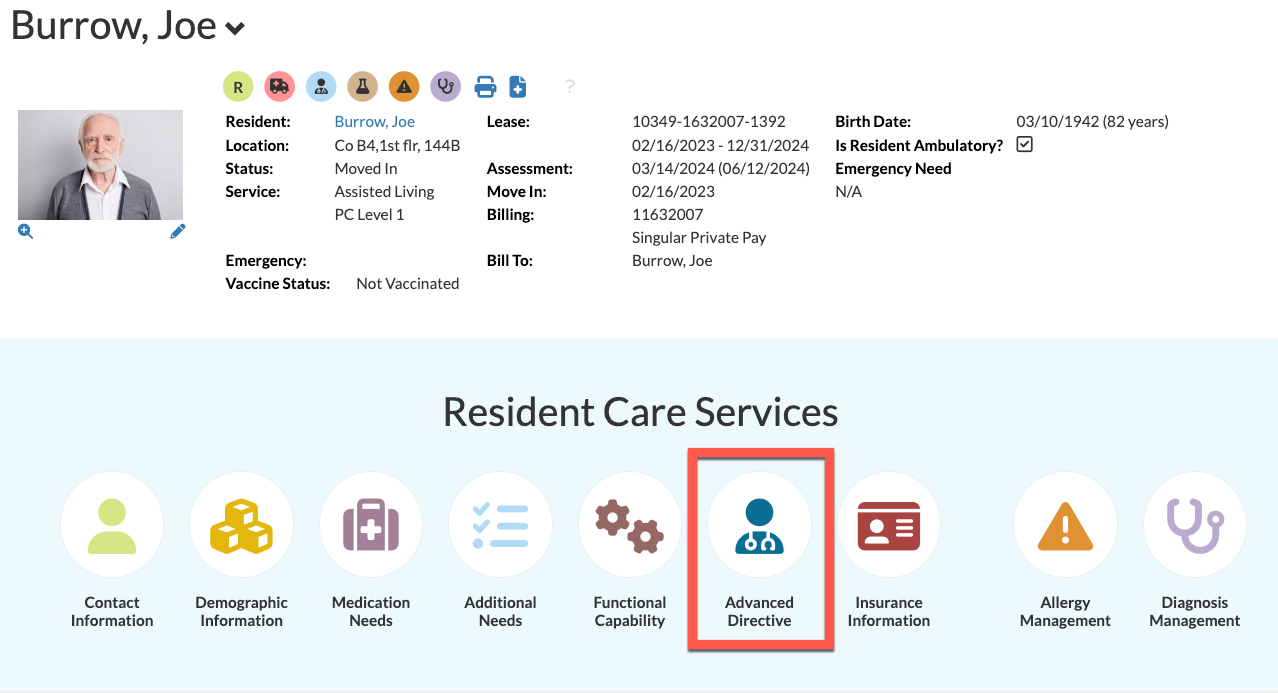
Step 2: Navigate to “Resident Care Services” just below the resident's summary details and click on the “Advanced Directive” icon.
Step 3: In the resulting page, you can change the resident's ambulatory status at the bottom.
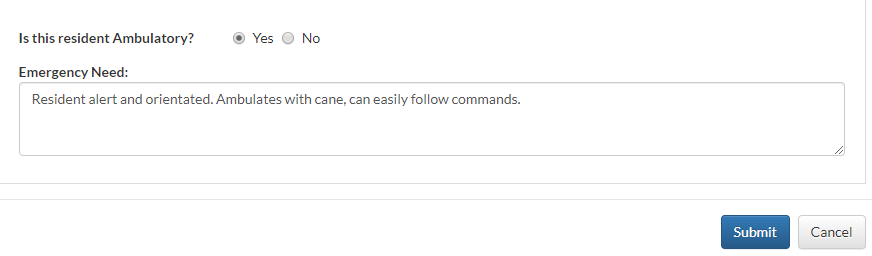
Note: If “No” is chosen, enter any emergency needs related to the resident’s non-ambulatory status in the “Emergency Need” box.
Step 4: Once all changes have been made, select “Submit” to save.
Was this article helpful?
That’s Great!
Thank you for your feedback
Sorry! We couldn't be helpful
Thank you for your feedback
Feedback sent
We appreciate your effort and will try to fix the article