Overview
Entirely new features and exciting new enhancements have landed for Aline Care! Below, you can dive into the details for each of these new features.
TABLE OF CONTENTS
- Overview
- Resident Photo Editing
- Today's Work Category on Care Dashboard
- Alert Charting
- Incident Reporting Workflow
- Secondary Assessments
- Emergency Needs Workflow
- Resend eSign Documents
- Community Local Time
- Additional Enhancements
Resident Photo Editing
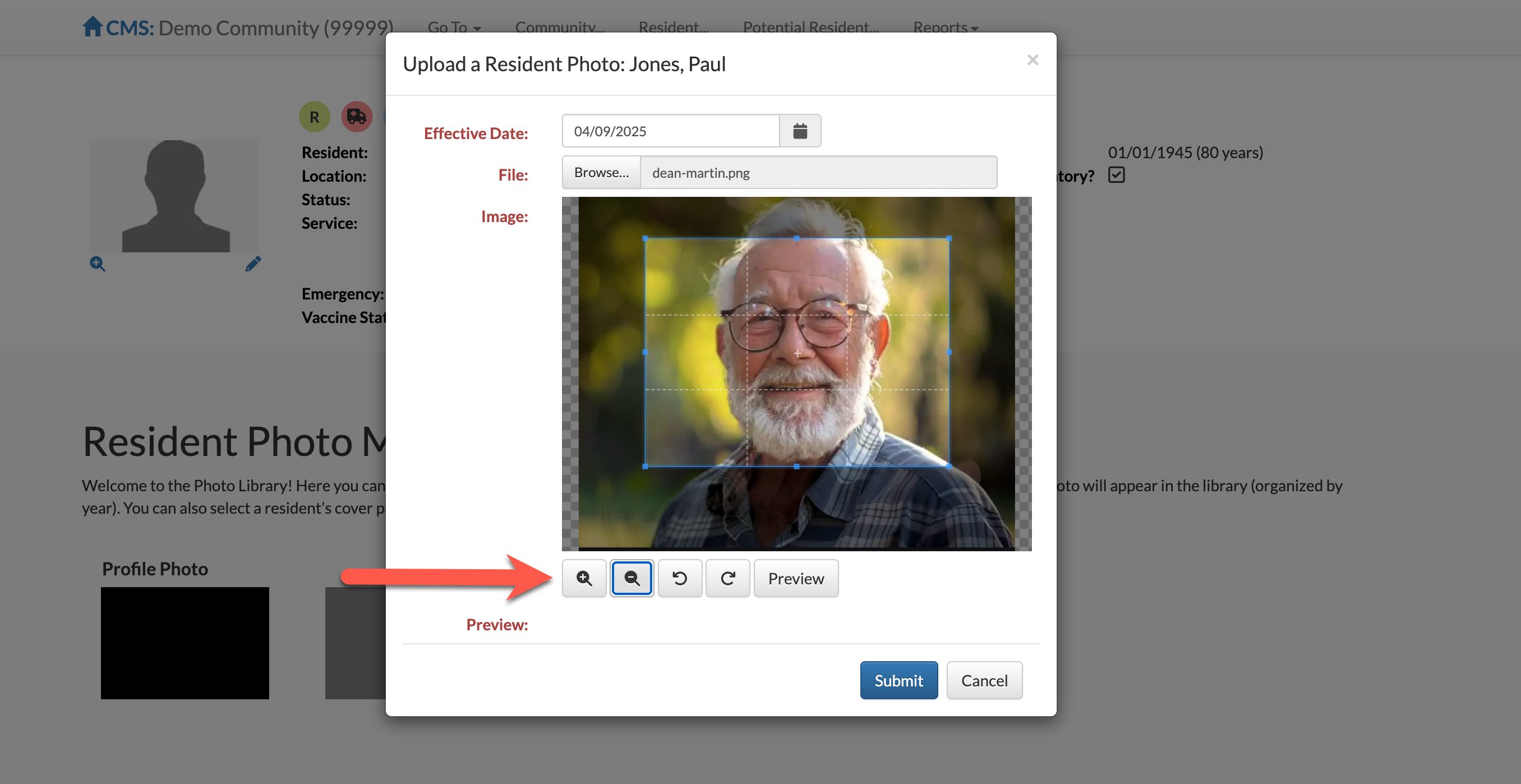
Resident photos can now be edited after being uploaded to a resident's profile. This allows users to efficiently fine-tune resident photos for accurate photo identification! Crop, zoom in or out, rotate, and more in order to set your resident photos as desired!
Today's Work Category on Care Dashboard
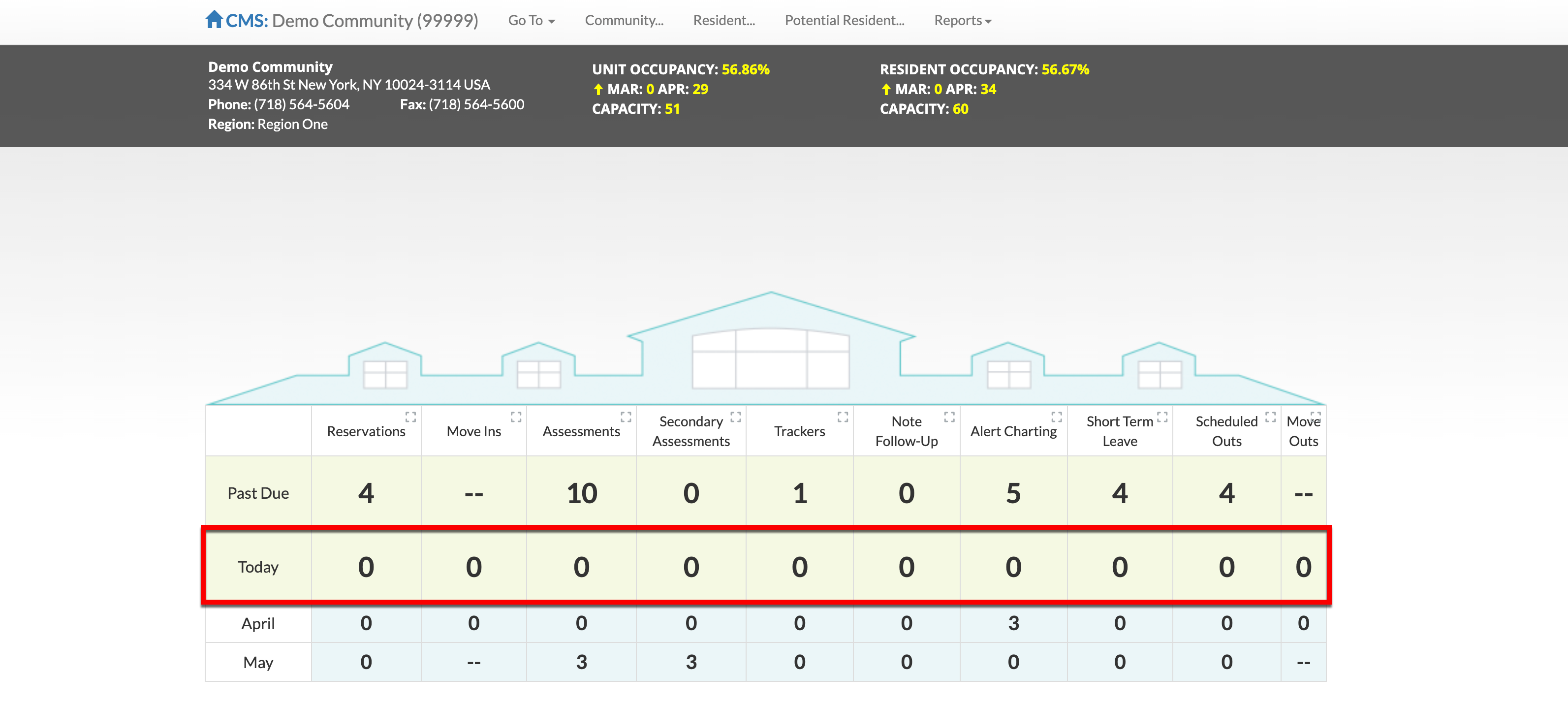
For items like Assessments, Trackers, Note Follow Ups, and the like due for the current month, the next month, and past due - the Care Dashboard will now display items specifically due on the current date in the "Today" category!
Alert Charting
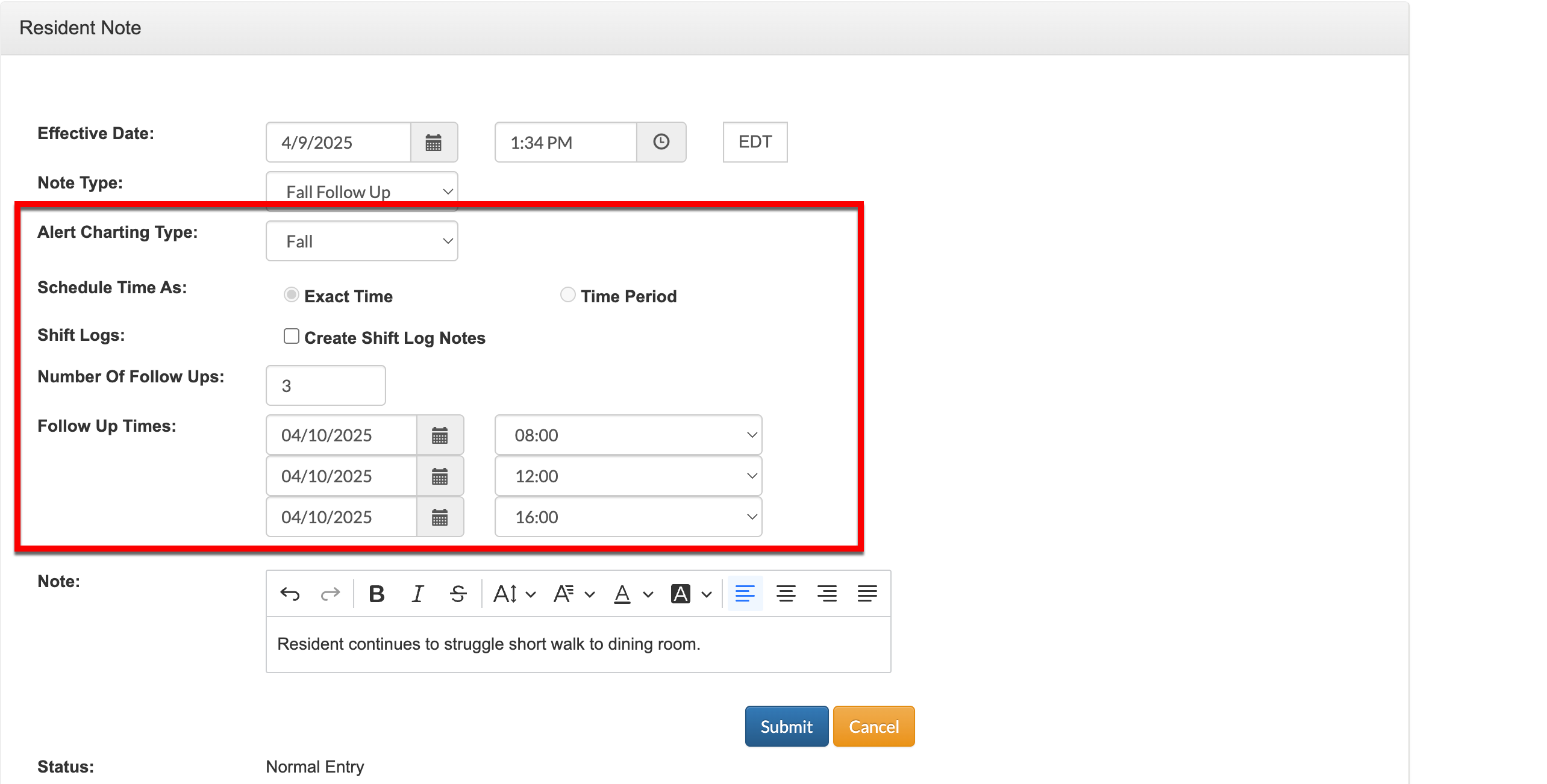
When configured, Alert Charting can now be automatically associated with reported Incidents or manually attached to Resident Notes, allowing Aline Care users to standard follow up times and documentation! Alert Charting follow ups can be required as either a Resident Note or as a Shift Log on CareMobile.
Alert Charting configurations include triggering Incident Type, triggering Note Type, follow up methods, default number of follow ups required, and default follow up times (either exact times or time periods).
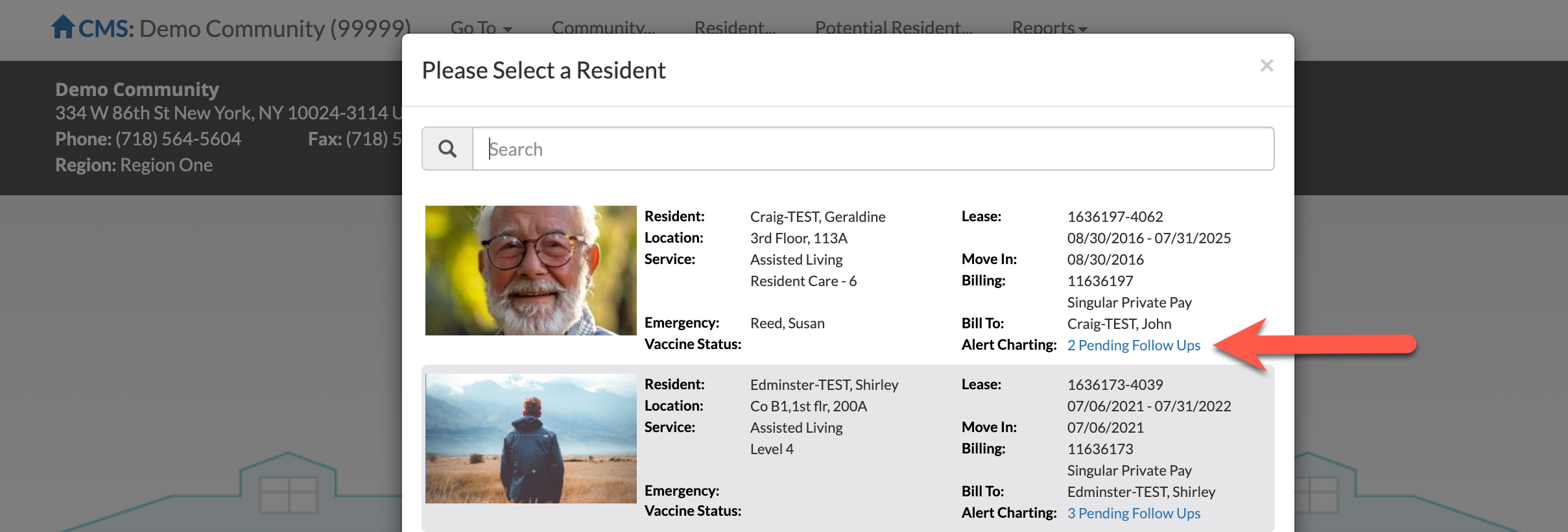
Alert Charting follow ups will also display in the Resident dropdown.
Incident Reporting Workflow
Resident incidents can now be reported without having to first add a Resident Note by using the Incident Module on the resident's profile thus streamlining the new Alert Charting functionality.

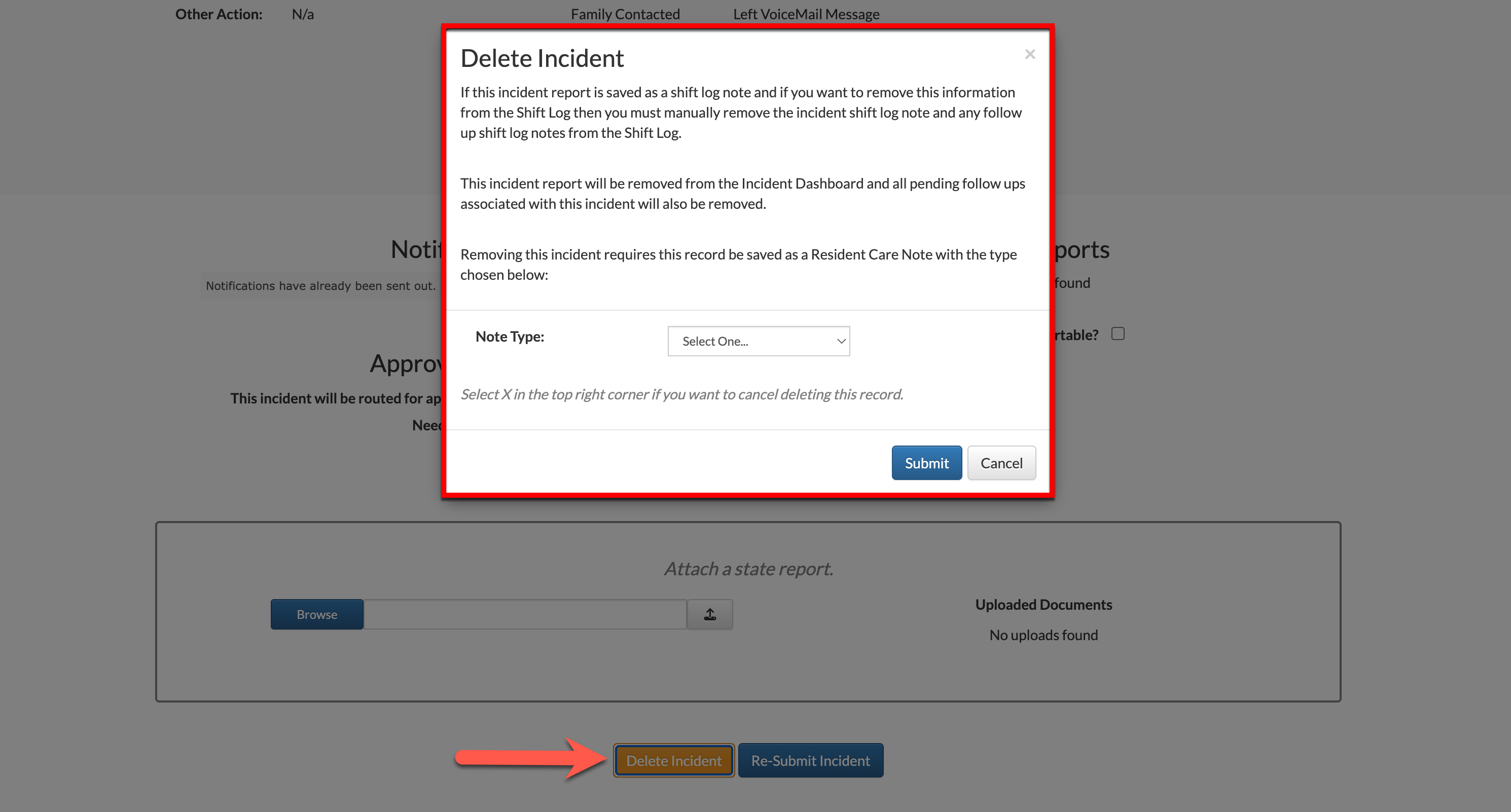
Pending Incidents can be deleted from the resident's Incidents Module where as completed Incidents can only be deleted from the resident's Notes module.
Deleting an Incident from the resident's Notes module will require the data to be saved under an alternative Note Type. Any previously scheduled follow ups will automatically be removed.
Secondary Assessments
Sub Assessments have been enhanced and renamed to Secondary Assessments. Secondary Assessments are optional assessments that may or may not be linked to a Primary Assessment (linked Secondary Assessments will open in a new browser tab).
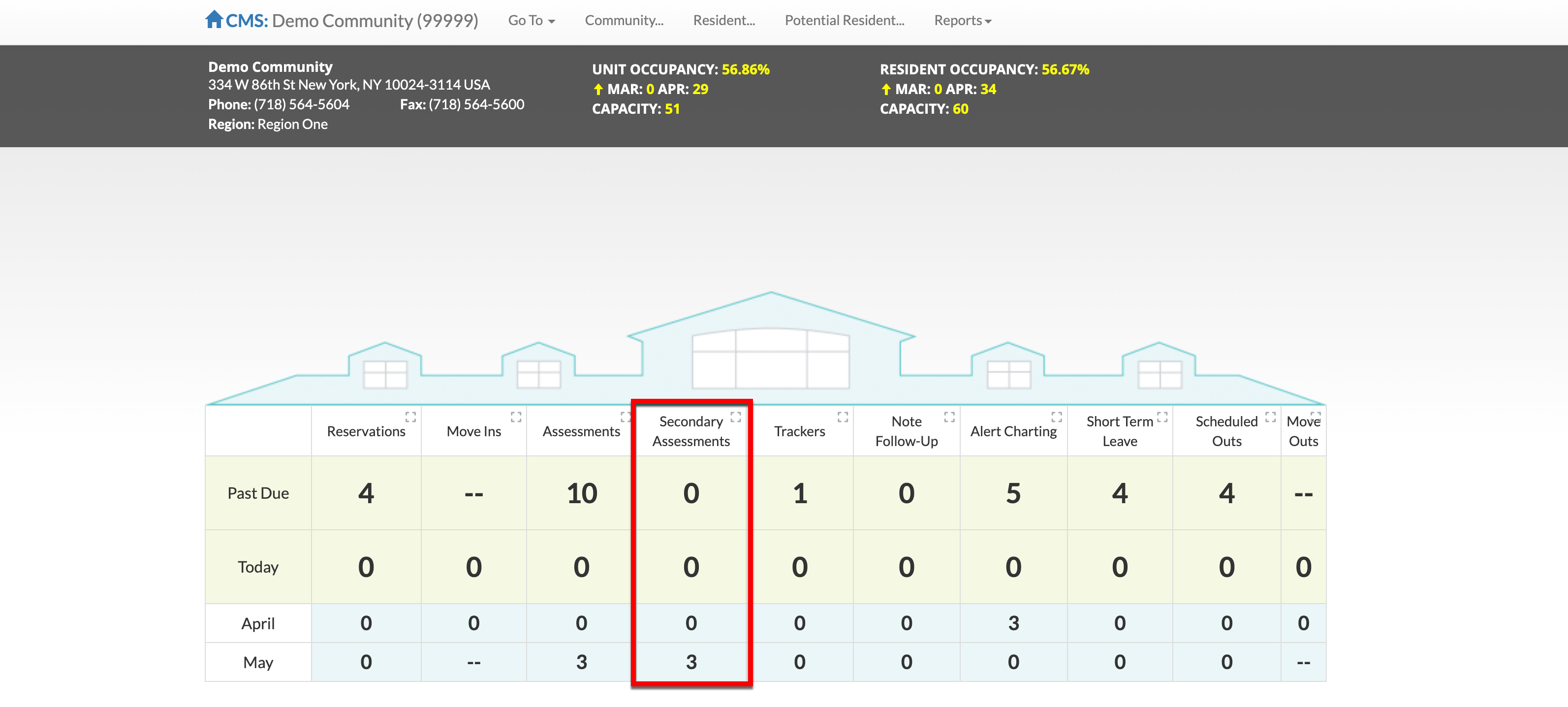
A new column for tracking Secondary Assessments due has been added to the Aline Care Dashboard.
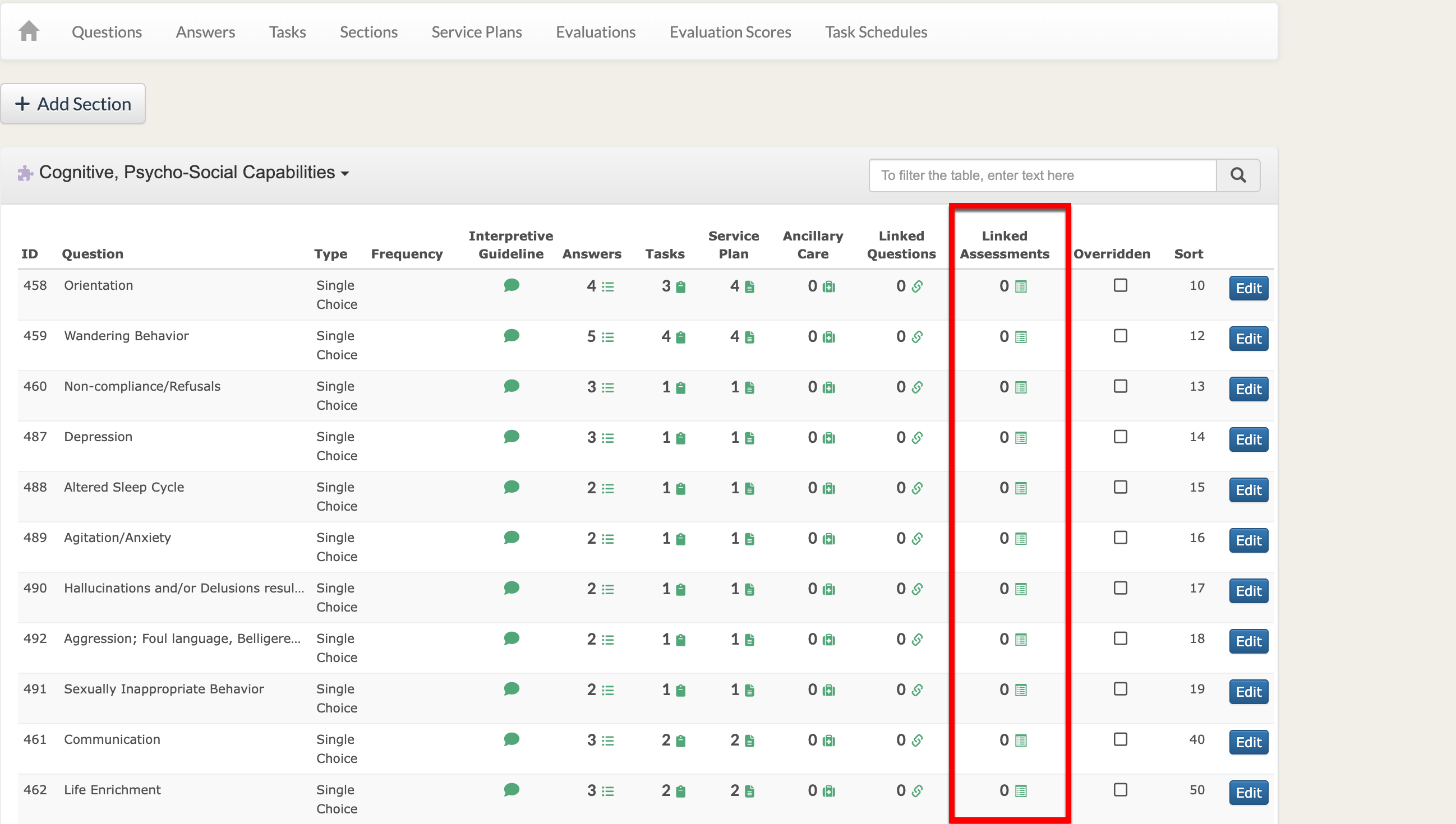
Secondary Assessments include tasks relevant to Care & Services and independent service plans, but are NOT associated with billing. Secondary Assessments can be completed before or after the Primary Assessment. A new column for Secondary Assessments has been added to the Assessment Module Management Tool.
Emergency Needs Workflow
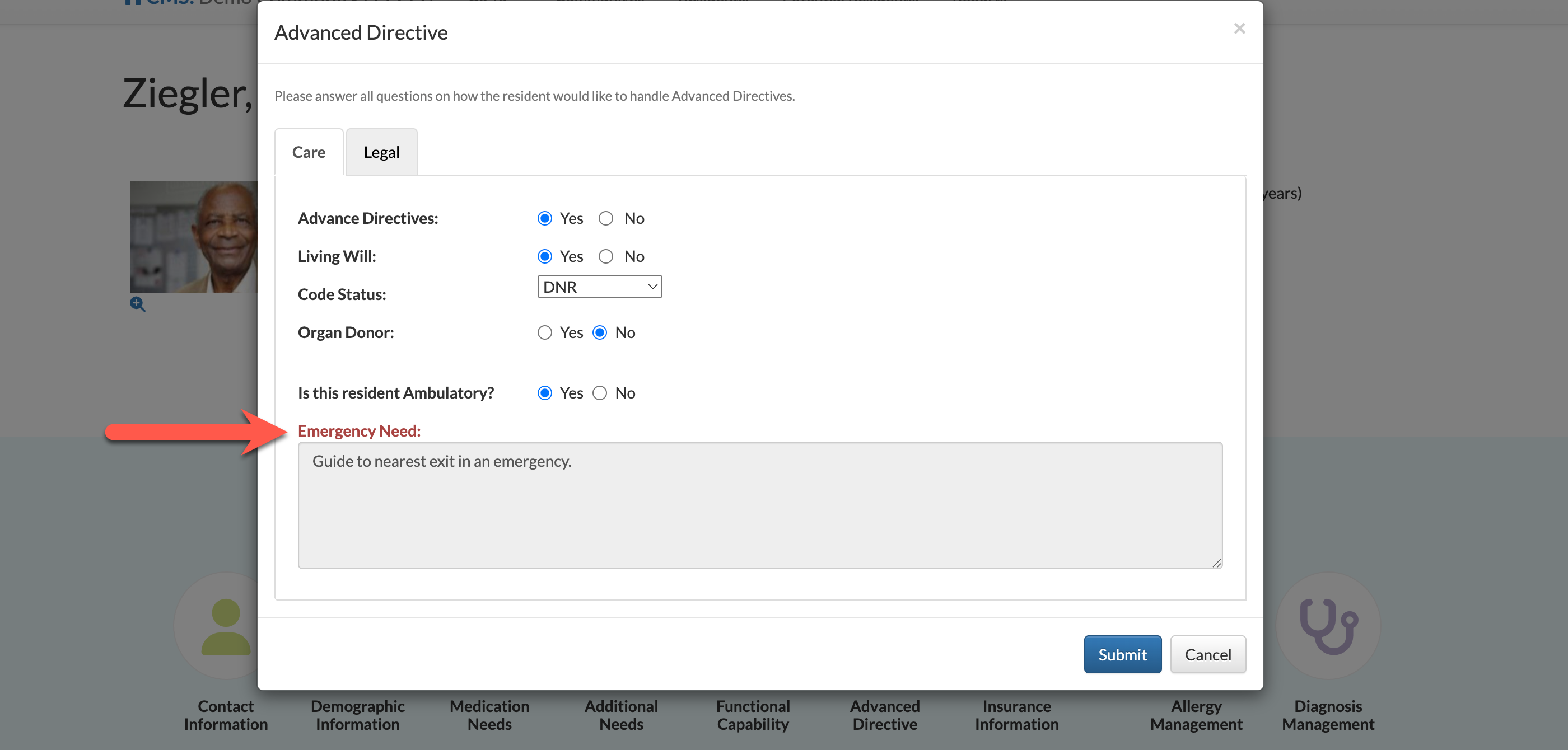
Emergency Needs entered via the Resident Assessment will now auto-populate on the resident profile and on the Emergency Needs report. Emergency Needs cannot be edited from the resident's Advanced Directives module and must be edited upon reassessment.
Resend eSign Documents
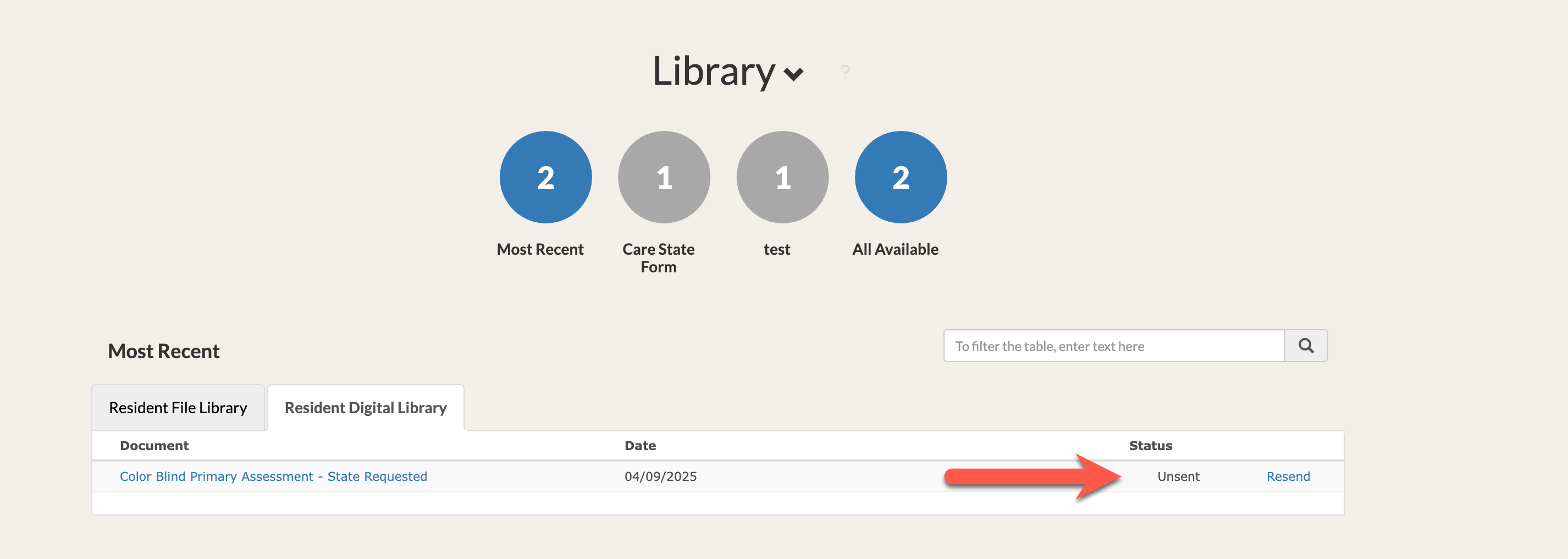
For organizations configured to utilize Aline Care's eSign functionality, failed eSign Envelopes can now be resent as required. The ability to resend will display when the eSign Envelope Status = Unsent.
Community Local Time
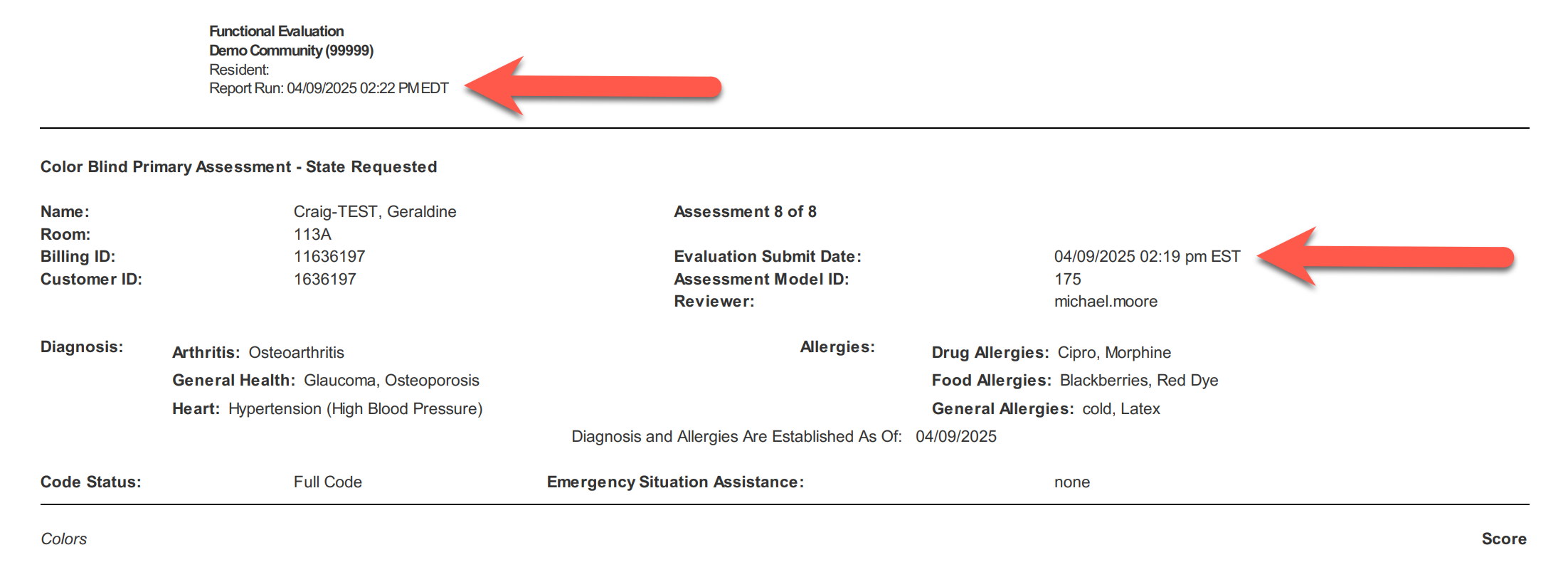
The Community Local Time is now displayed throughout the application.
Additional Enhancements
- Updated the Resident Assessment Survey: If a user attempts to change the default value of the billing type in the Acuity section, then they will receive a warning prompt if the care type selected is not compatible with the resident’s care.
- Added the ability to display ‘Assessed Date’ on each question in the Service Plan and Pending Service Plan. This can be configured to display/hide the ‘Assessed Date’ within report configuration.
- Updated E-Sign workflow: If contact info is in the database, then it will automatically populate Resident/Responsible Party data into the First Name, Last Name, and Email fields, This applies to Family Member role as well, if the Title field also matches with the “relation” field in the database
- Updated the E-Sign logic to allow for a prompt when a user attempts to create a new configuration and link to a community which already has a configuration in place. User will be prompted with a warning message, that the configuration for that community already exists.
- Restricted Assessments’ Linked Questions to a 1:1 ratio with Answers. Users who attempt to link a Question that has been previously linked to an Answer will be prompted with a warning that the question is already linked and will be forced to change a Question or unlink from its previous connection
- Updated Resident Note Follow-Up history to only display Follow-Ups that have been completed. Follow-Ups will no longer display Effective Date, Create By, and Create Date. Follow-ups will display the Follow-Up Date & conditionally will display the Follow Up End Date, if one has been selected.
- Added dynamic signature capability to the Service Plan Acknowledgement template which allows for the designated signers to be changed without having to change the template.
- Adjusted the view and layout of the signature section for Service Plan and Service Acknowledgement forms.
- Updated DocuSign workflow to allow customers the ability to digitally sign a Service Plan, regardless of whether a Service Plan template exists with a Service Plan Acknowledgement form.
- Updated the defaults for the Shift Log Notes Search page, to have the Start Date default to “today’s date” and the end date default to “tomorrow’s date.”
- Added new filter to the Shift Log Notes table, allowing for the user to filter between “all” shift log notes that show as a status of “not reviewed.”
- Updated the sub-label “Incident” on the Community House page to “Submitted Incidents” and removed any pending assessment to display on the grid.
Was this article helpful?
That’s Great!
Thank you for your feedback
Sorry! We couldn't be helpful
Thank you for your feedback
Feedback sent
We appreciate your effort and will try to fix the article