Overview
In this article, we will review how to perform an assessment.
Performing the Assessment
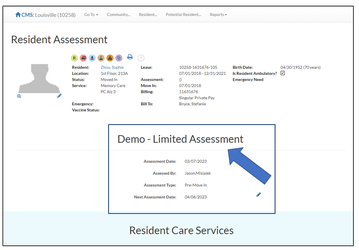
Prior to starting the assessment verify that the Assessment Listed on the Resident Assessment screen is the assessment you are performing. It will also be helpful, but not required to know if you are performing a minute based or a score based assessment.
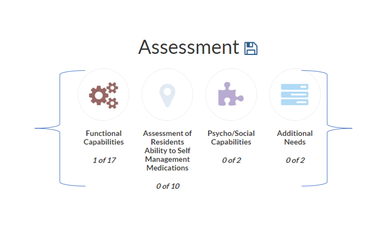
Note: The names and numbers of sections in the Assessment Section will verify depending on the assessment model you are performing. Each section will display the number of total questions that are published in each section and will be updated as you perform the assessment.
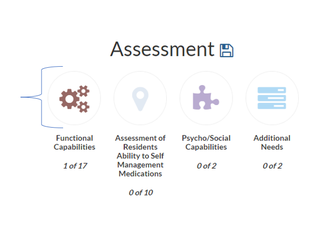
Step 1: To bring up the module of assessment questions, select the icon above first section in the assessment.
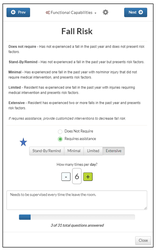
Note: While answering each question, if the it requires a Level of Assistance, make sure you use the guides at the top of the question and select the appropriate level. When you have answered the questions click the Next button to go onto the next question.
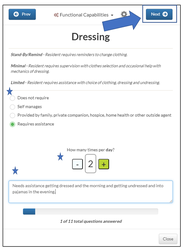
Note: There are 5 different question types you may encounter while performing an assessment.
Comment Example
Follow the interpretive guide on what type of information to put in the comment box.
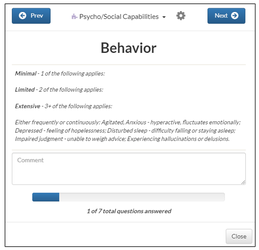
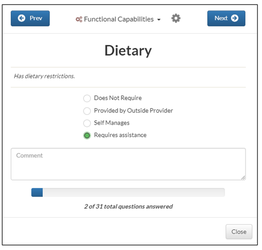
Single Choice Example
Allows for the selection of 1 answer.
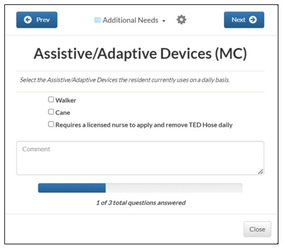
Multiple Choice Example
Allows for the selection of 1 or more answers.
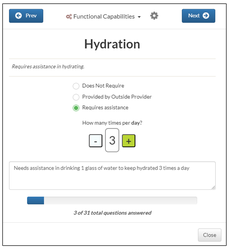
Frequency Example
Will require you to select the number of times per day they will require assistance.
Level of Assistance Example
With level of assistance questions besides selecting the frequency (if applicable) you will also be required to select a level of assistance. Use the Interpretive Guidelines at the top of the screen when selecting.
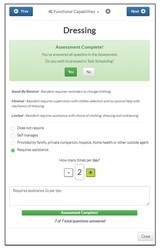
After all questions have been answered you will be notified that the assessment is complete and will be asked if you would like to proceed to Task Scheduling.
Was this article helpful?
That’s Great!
Thank you for your feedback
Sorry! We couldn't be helpful
Thank you for your feedback
Feedback sent
We appreciate your effort and will try to fix the article