Overview
In this article, we will review how to select an assessment.
Selection of Assessment
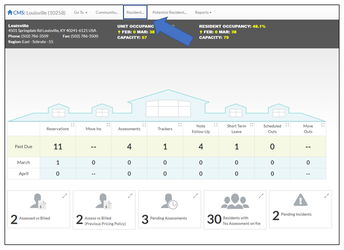
Step 1: On the community Home page, select the resident tab in the heading.
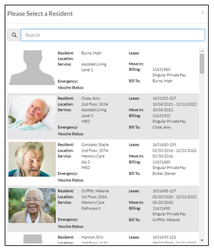
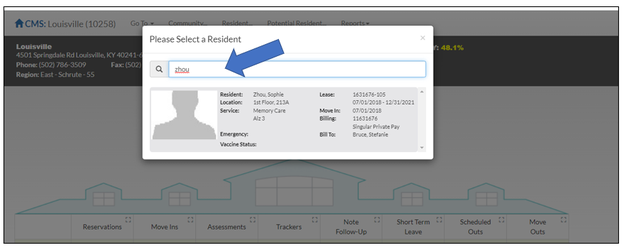
Step 2: Search and select the resident you wish to perform an Assessment on.
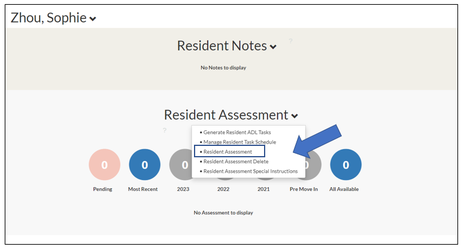
Step 3: On the Residents profile page, scroll down to the Resident Assessment section and click on the down arrow next to Resident Assessment.
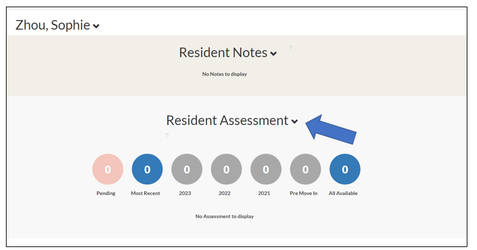
Step 4: Select Resident Assessment from the list.
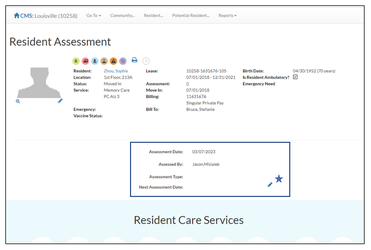
Step 5: On the Resident Assessment page click on the Pencil Icon located under the Resident Information section of the page.
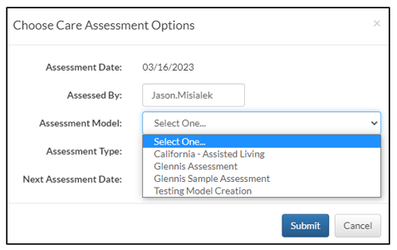
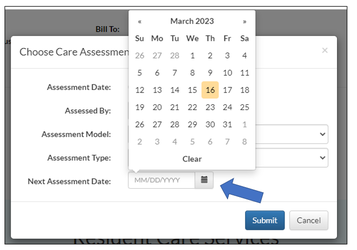
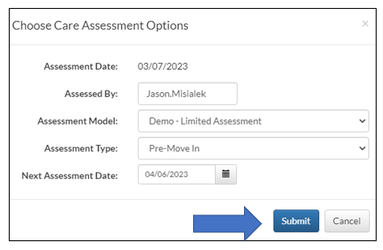
Step 6: From the Choose Care Assessment Options module window that displays, select the Assessment Model you will be performing.
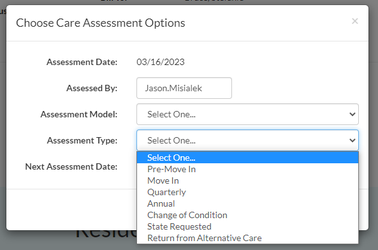
Step 7: Select the Assessment Type you will be performing.
Step 8: Verify the Next Assessment Date is correct or make adjustment as needed from the date picker.
Step 9: Verify everything is correct and select the Submit button.
Was this article helpful?
That’s Great!
Thank you for your feedback
Sorry! We couldn't be helpful
Thank you for your feedback
Feedback sent
We appreciate your effort and will try to fix the article