Overview
In this article, we will review the steps to complete and print the Model Assessment Report.
Steps to Access and Print the Model Assessment Report
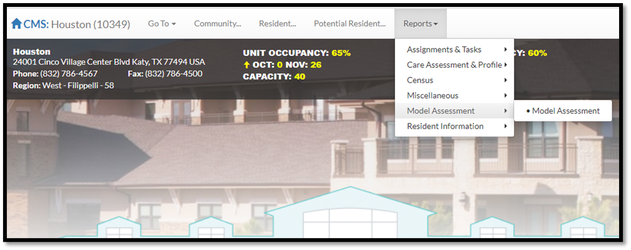
Step 1: From the Community Home Page, select the Reports dropdown button in the header, select Model Assessment and select Model Assessment from the dropdown list. This will take you to the Model Assessment Report page.
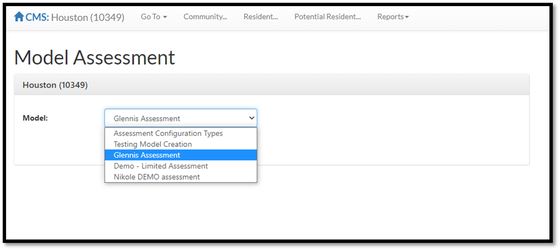
Step 2: On the Model Assessment Report page, select the Model the drop down list. Only assessment models configured to the selected community will display.
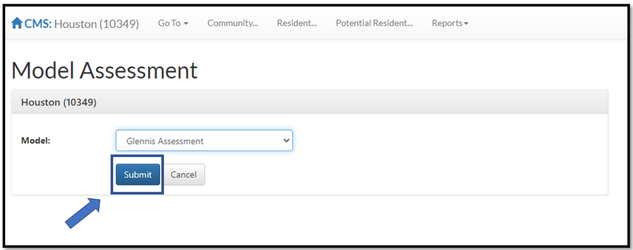
Step 3: Select submit.
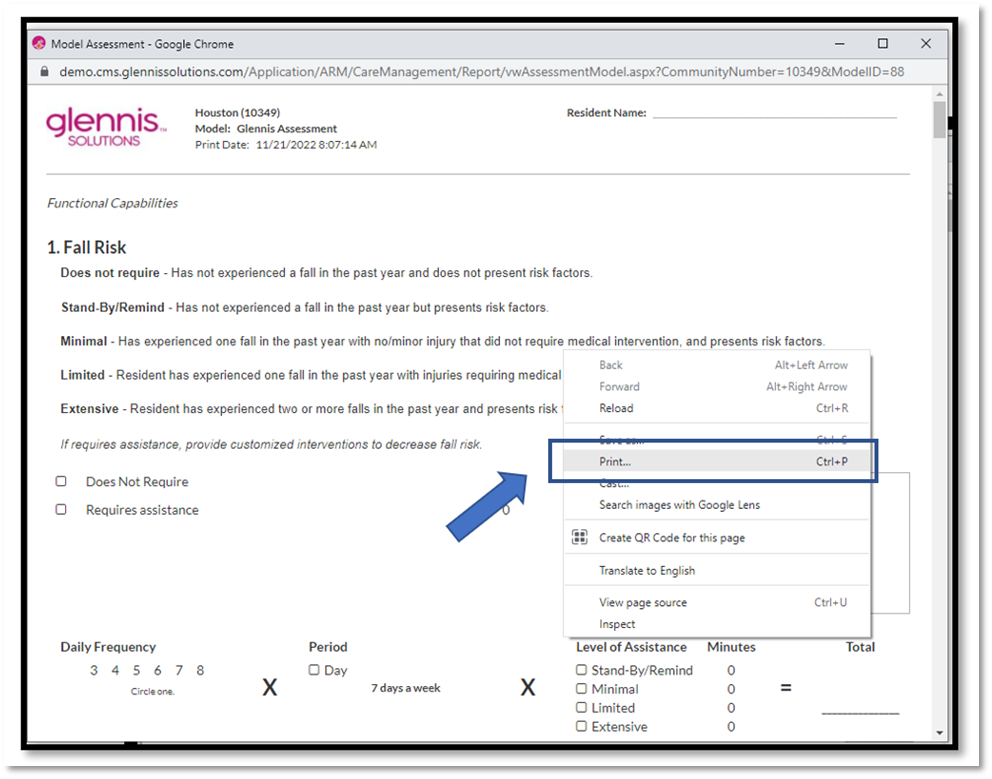
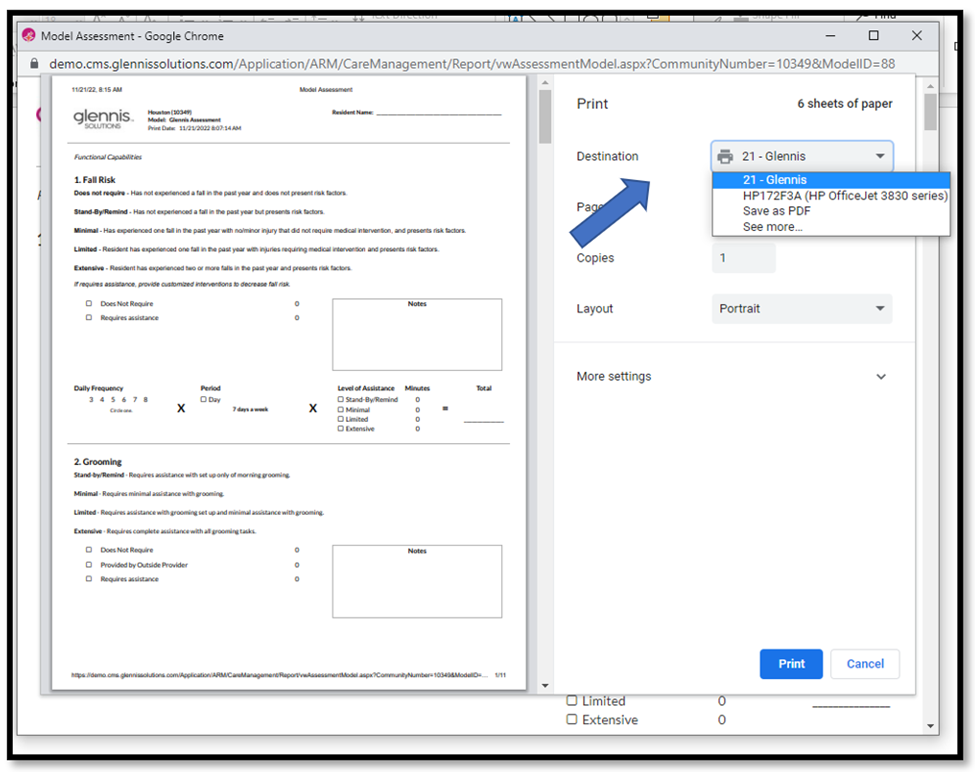
Step 4: The Model Assessment report will open in a new window. To print the assessment report, right click inside the Model Assessment window and select print.
Step 5: Select the printer and select the print button.
Steps to Completing the Model Assessment Report
Note: When performing the assessment, make sure all questions are answered. Once the questions in the Model Assessment are complete, the assessment score or minutes must be added up. Make sure to perform all calculations prior to calculating the final score.
Score Based Assessment Calculations
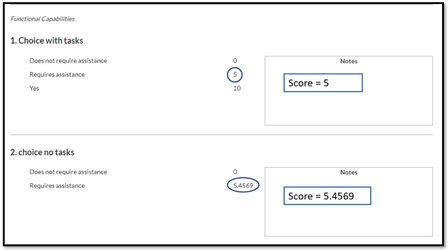
Single Choice
Question Score = The score to the right of the answer.
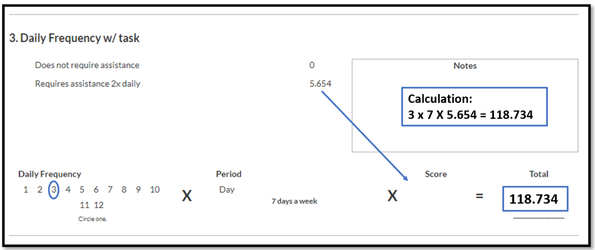
Daily Frequency
Question Score = # of times per day x 7 x Answer score
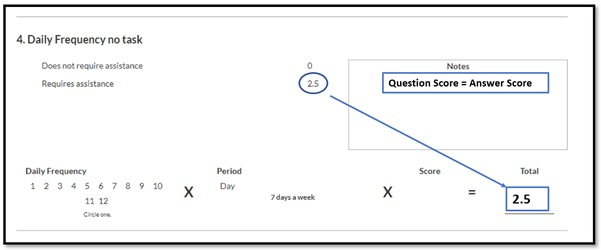
Note: If a frequency question does not have an associated task, the Question Score = Answer Score
Weekly Frequency
Question Score = 1 time per day x # of days per week x Answer score
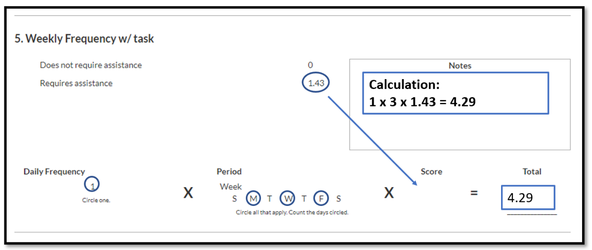
Note: If a frequency question does not have an associated task, the Question Score = Answer Score
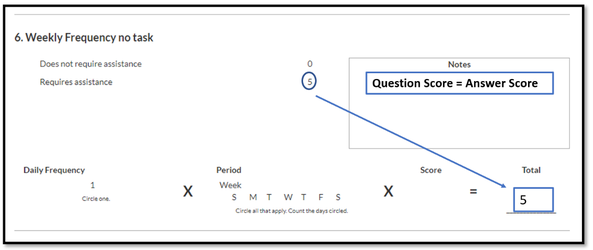
Monthly Frequency
Question Score = 1 time per month x Answer score.
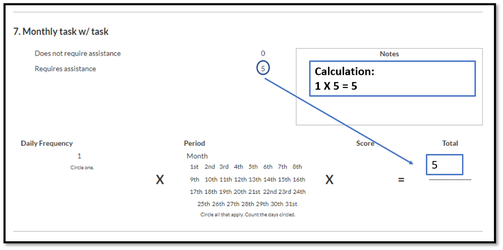
Note: If a frequency question does not have an associated task, the Question Score = Answer Score
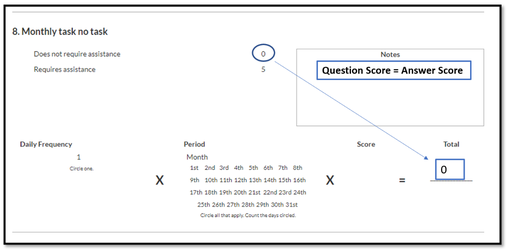
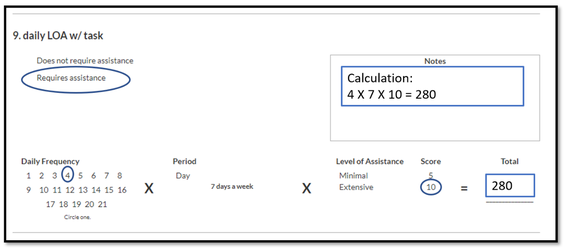
Level of Assistance Daily Frequency
Question Score = # of times per day x 7 x Selected Level of Assistance Score
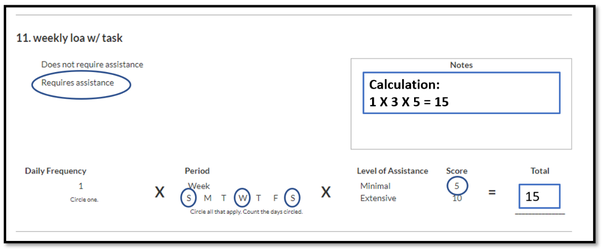
Weekly Frequency
Question Score = 1 time per day x # of days per week x Selected Level of Assistance Score
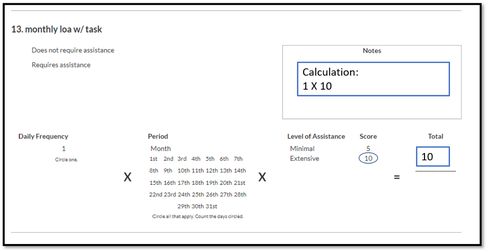
Monthly Frequency
Question Score = 1 time per month x Selected Level of Assistance Score.
Minute Based Assessment Calculations
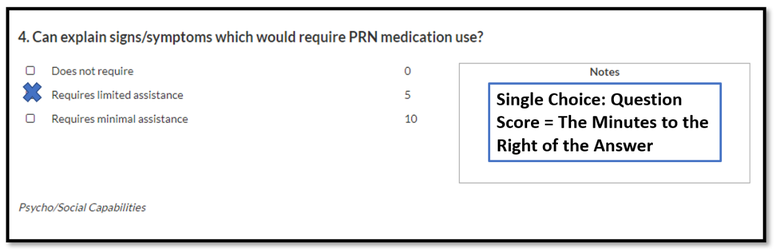
Single Choice
Question Score = The minutes to the right of the answer
Daily Frequency
Question Score = # of times per day x 7 x minutes to the right of the answer.
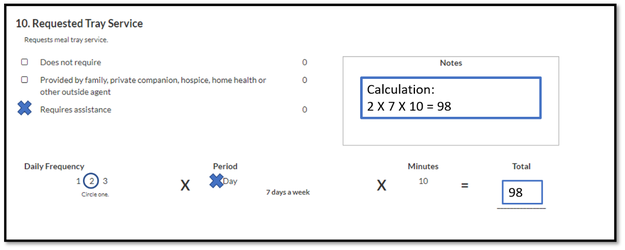
Weekly Frequency
Question Score = 1 time per day x # of days per week x minutes to the right of the answer.
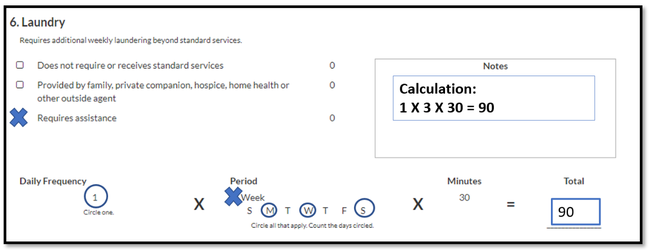
Monthly Frequency
Question Score = 1 time per month x minutes to the right of the answer.
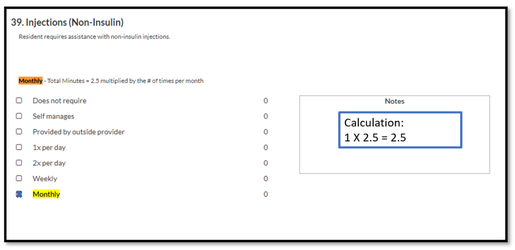
Level of Assistance Daily Frequency
Question Score = # of times per day x 7 x Selected Level of Assistance Minutes
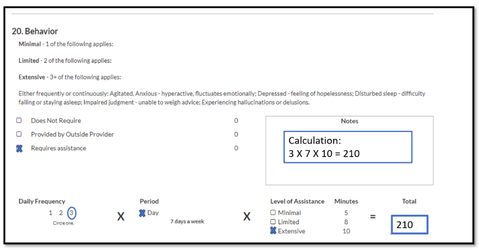
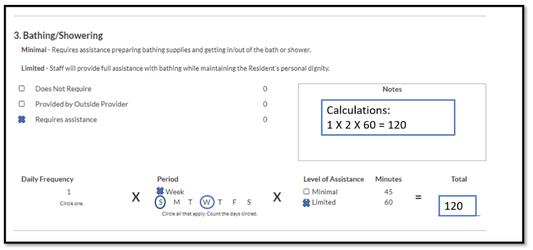
Weekly Frequency
Question Score = 1 time per day x # of days per week x Selected Level of Assistance Minutes
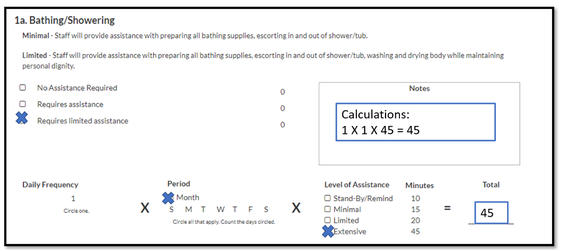
Monthly Frequency
Question Score = 1 time per month x Selected Level of Assistance Minutes
Was this article helpful?
That’s Great!
Thank you for your feedback
Sorry! We couldn't be helpful
Thank you for your feedback
Feedback sent
We appreciate your effort and will try to fix the article