Overview
In this article, we will review how to change a residents information.
Video Tutorial
Find and Select a Resident
Choose a resident from the “Resident…” option located on the menu bar at the top of the Aline Care home page. This will redirect you to the resident’s profile page.

Manage Your Profile
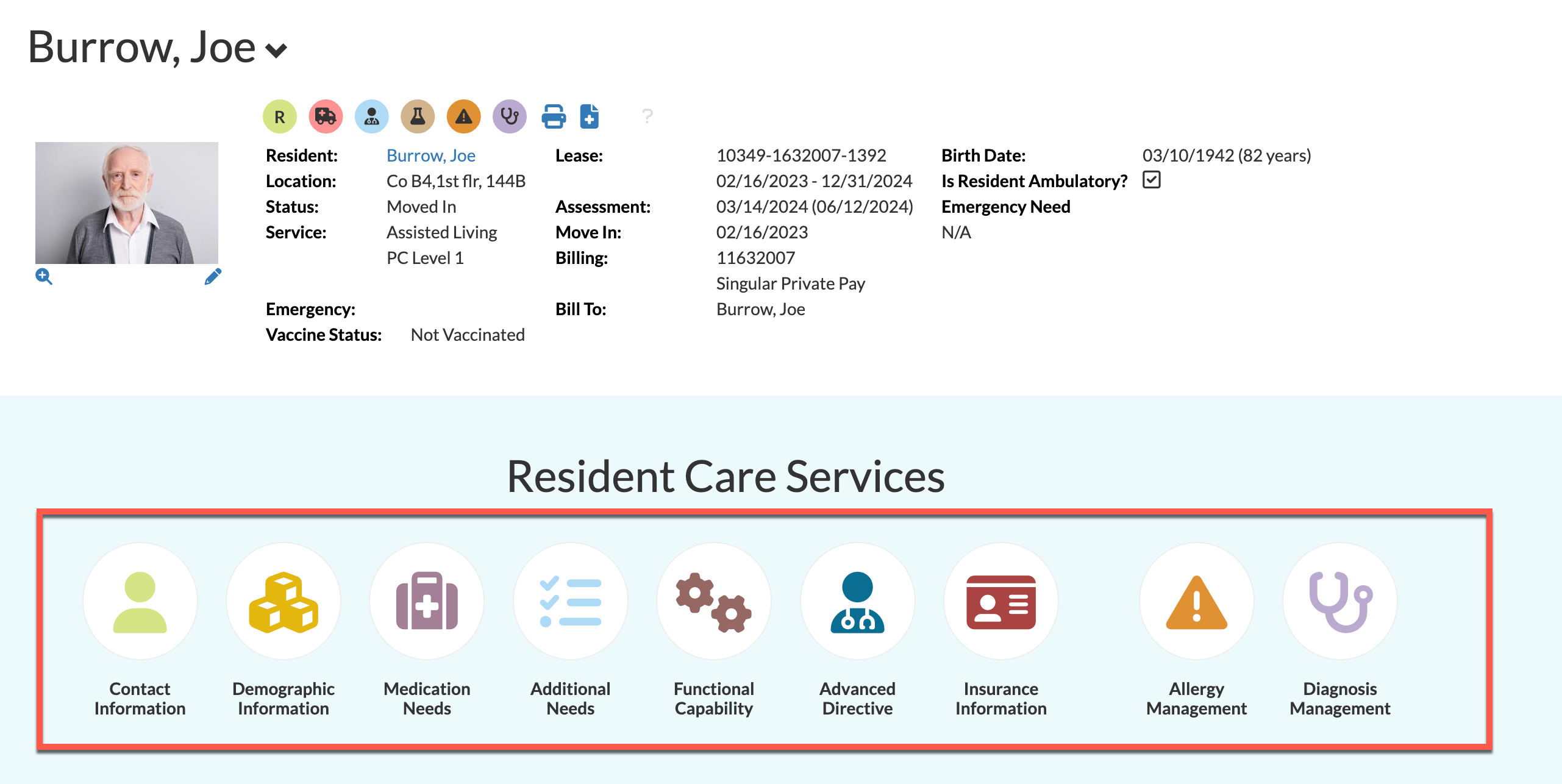
From the resident’s profile page, you can view their information by selecting any of the options below “Resident Care Services”. Select any of the available options to manage the information within. For the purpose of this guide, “Contact Information” was selected.
The Resident Information Change Window
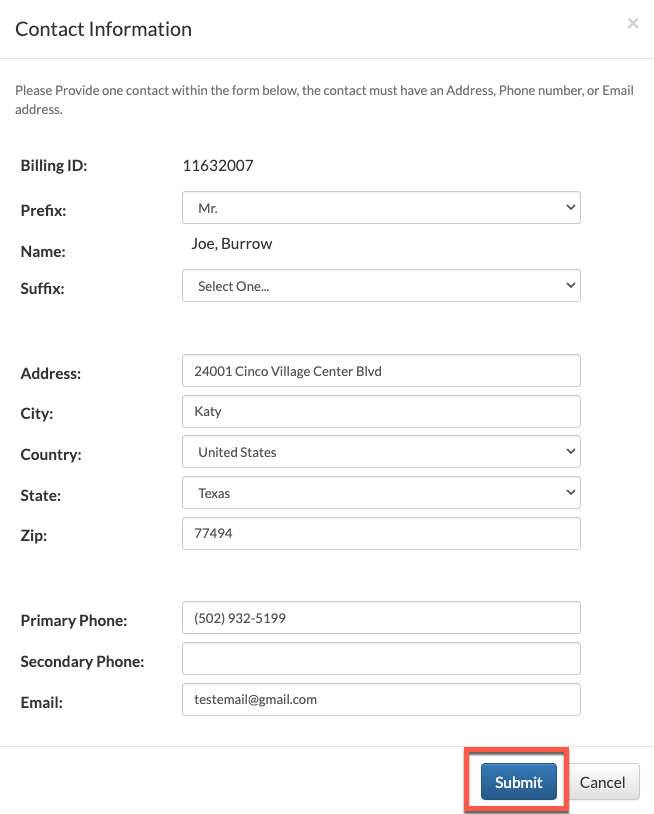
Once an option has been selected, new or updated information may be entered in the form.
Some information fields may not be edited, however, such as the resident’s name or billing ID. Once the desired changes have been made, select “Submit” at the bottom to save the changes. Changes to resident information are effective the same day they are applied.
Was this article helpful?
That’s Great!
Thank you for your feedback
Sorry! We couldn't be helpful
Thank you for your feedback
Feedback sent
We appreciate your effort and will try to fix the article