Overview
In this article, we will review the five steps on how to print documents in Care Management.
Video Tutorial
Steps on how to Print Documents
Step 1: Navigate to the desired Resident Profile.
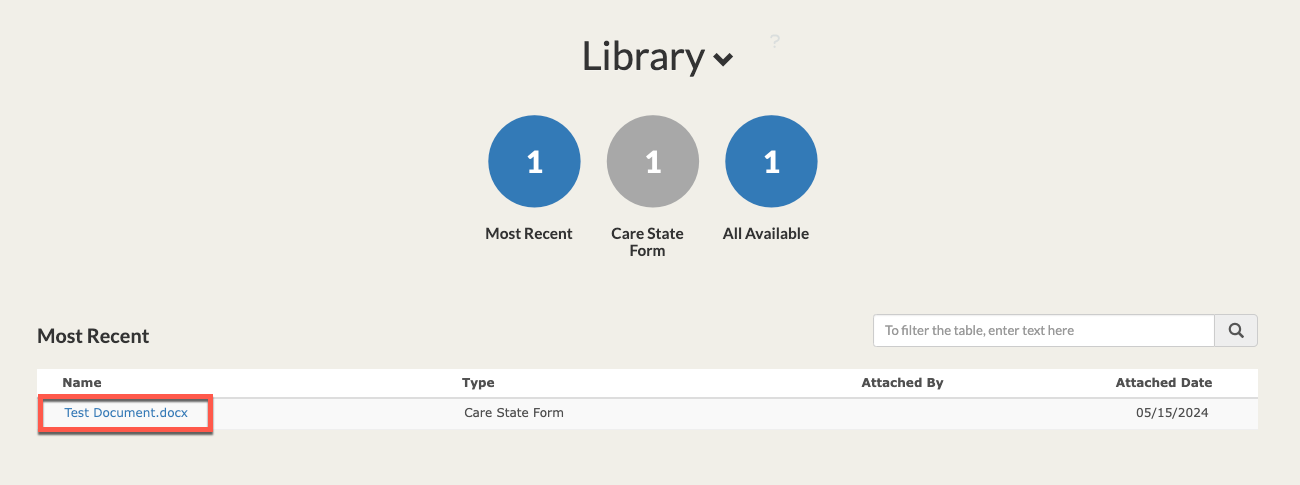
Step 2: Scroll down to the Library section.
Step 3: Select the blue document title. Word documents will automatically download to your device for editing or printing. PDF documents will open in a new tab where they can be downloaded or printed.
Was this article helpful?
That’s Great!
Thank you for your feedback
Sorry! We couldn't be helpful
Thank you for your feedback
Feedback sent
We appreciate your effort and will try to fix the article