
Aline Care Release Announcement – August 2025
Available: As of August 18th 2025
We’re excited to introduce the Aline Care 2.39 release, designed to improve accountability, enable successful communication, enhance e-sign documentation processes, and support incident follow up protocols.
This update includes new features like community-specific Alert Charting types for expanded care tracking, eSign configurability for improved assessment documentation, and resident profile Shift Log access for ease of access. Together, these enhancements make it easier for your teams to stay organized, document care accurately, and respond confidently to resident needs!
Should you have any questions or need assistance, please reach out to your Aline CSM!
New Features and Enhancements
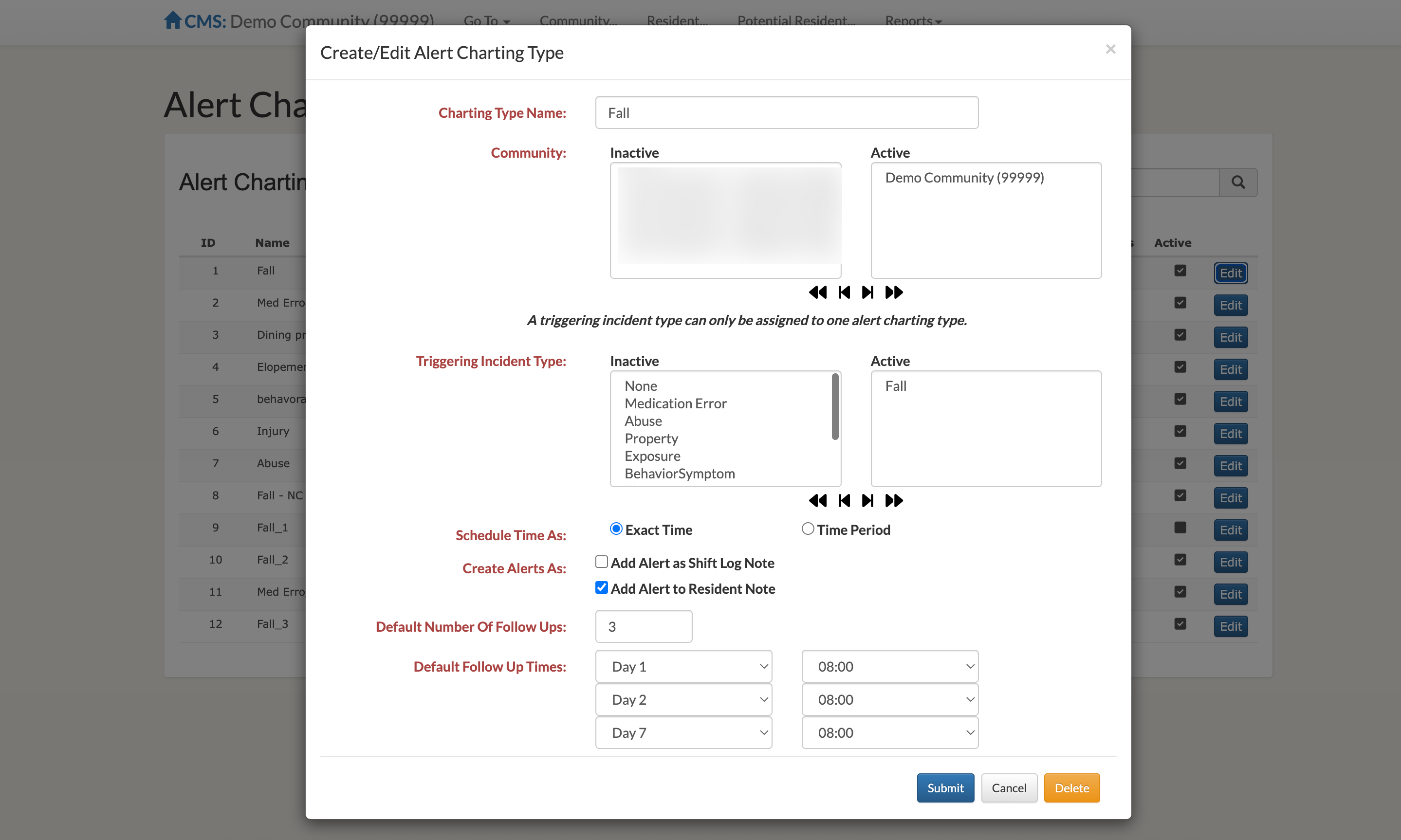
Community-Specific Alert Charting Types
Users can now create and manage community-specific Alert Charting types with customization options available including which communities the Alert Charting type is active, what incident type should trigger the alert, Alert Charting follow up frequency and schedule, and if the Alert Charting should appear as a Resident Note or on the Shift Log.
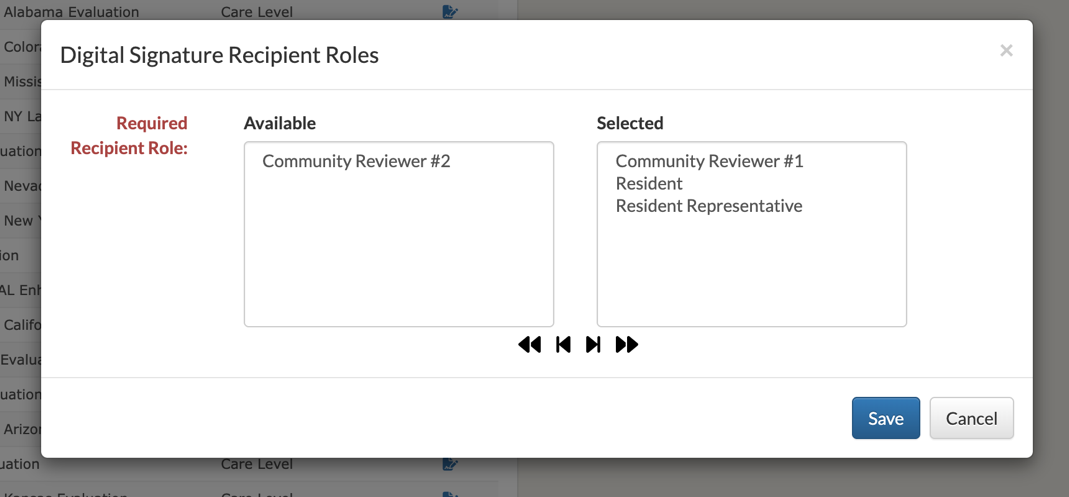
eSign Configurability Options
Users can now manage the number of required reviewers and signees for eSigned Assessments along with what types of reviewers are required (community reviewer, resident, resident representative, etc.).
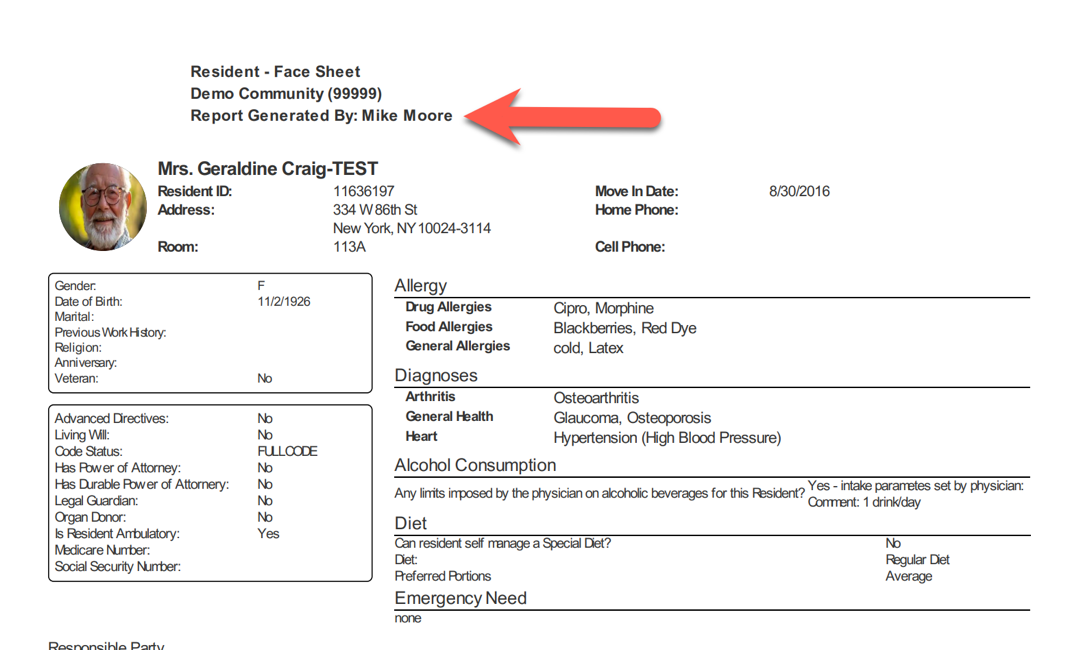
User Credentials Added to Report Runs
When the feature is enabled, a user’s credentials will now automatically be attached to all report runs. This feature is enabled by default.
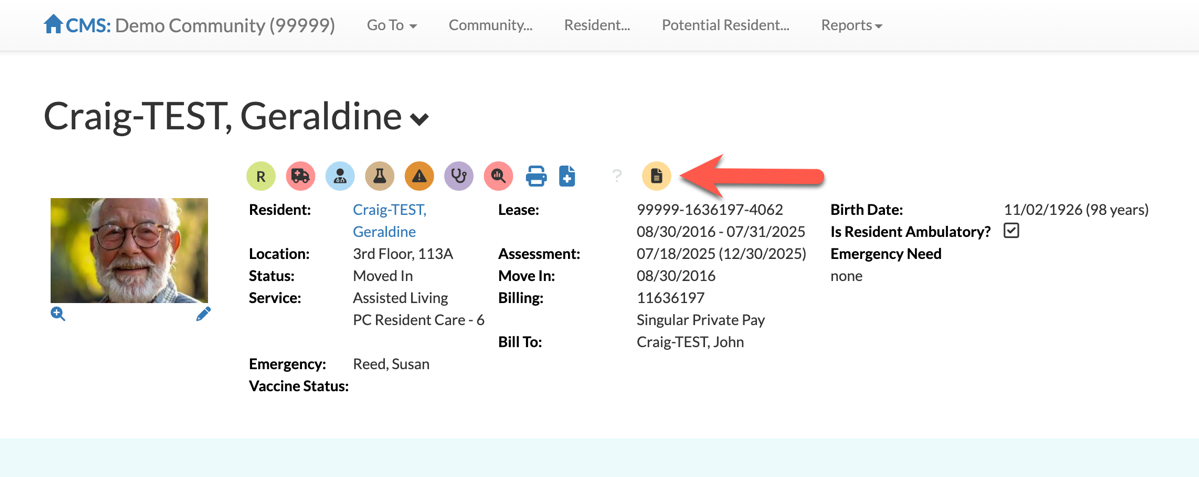
Shift Log Notes Added to Resident Profile
A shortcut to Shift Logs is now available on each resident’s profile. Selecting the Shift Log shortcut will allow users to quickly see any Shift Logs related to the selected resident.
Other Key Enhancements & Fixes
- For Behavior Type Incident Indicators, Other has been added to the list of selectable Behavior Symptoms, allowing the user to free type the Behavior Symptom.
- New report for eSign documents that allows for community selection and displays associated residents & eSign status.
- New ability to capture resident photos in-app with device
- Updated the Resident Face Sheet to display a resident’s “Physical” Move-In Date rather than the “Fiscal” Move-In Date
- Updated the Incident chart on the Community Dashboard to only display Incidents that have a status of “Active”
Was this article helpful?
That’s Great!
Thank you for your feedback
Sorry! We couldn't be helpful
Thank you for your feedback
Feedback sent
We appreciate your effort and will try to fix the article