Overview
In this article, we will review shift log notes.
Shift Log Notes
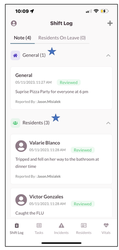
Step 1: To view shift log notes, select the Notes tab.
Note: The Shift Log will display all notes for the current day and the two days prior.
Shift Log Notes are broken down into two categories
- General
- Resident
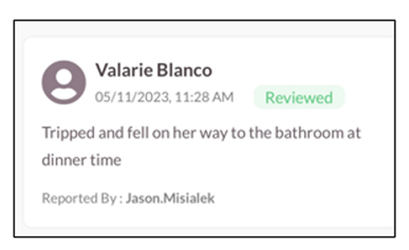
Each Note will display the following:
- Resident Name
- Date
- Status
- Detailed Note
- Person who reported/created the note
Was this article helpful?
That’s Great!
Thank you for your feedback
Sorry! We couldn't be helpful
Thank you for your feedback
Feedback sent
We appreciate your effort and will try to fix the article