Overview
In this article, we will review how to document tasks on behalf of another employee.
Documenting Tasks on Behalf of Another Employee
To mark tasks as completed by another employee, follow the steps below:
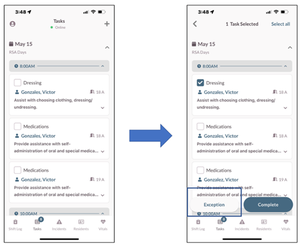
Step 1: Select the Check box next to each task you want to mark as complete.
Step 2: Select the Exception button.
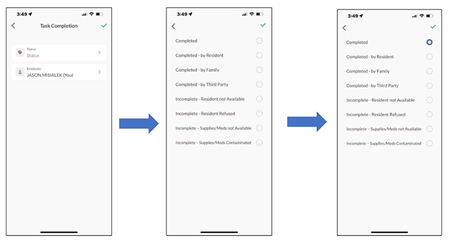
Step 3: From the Task Completion Modal that opens
Step 4: Select the Status.
Step 5: Select the Green Check Mark.
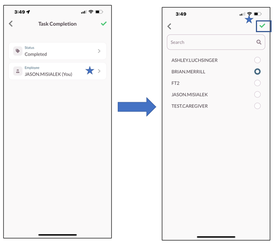
Step 6: Select the Employee. (Not yourself)
Step 7: Select the Green Check Mark.
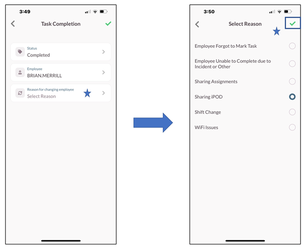
Step 8: Select the Reason for changing employee.
Step 9: Select the Green Check Mark.
Was this article helpful?
That’s Great!
Thank you for your feedback
Sorry! We couldn't be helpful
Thank you for your feedback
Feedback sent
We appreciate your effort and will try to fix the article