Overview
In this article, we will review the emergency contact.
Video Tutorial
Adding and Editing the Emergency Contact
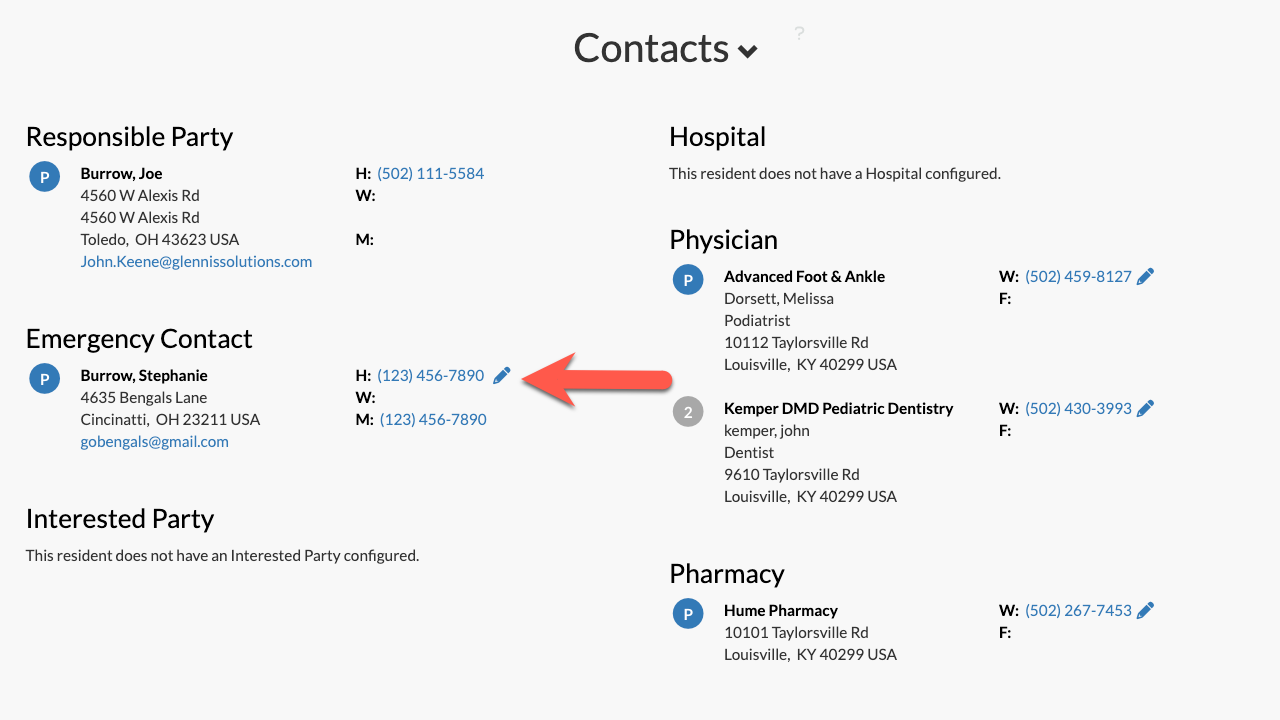
Step 1: On the resident’s profile page in Aline Care, scroll down to the Contacts section at the bottom of the page.
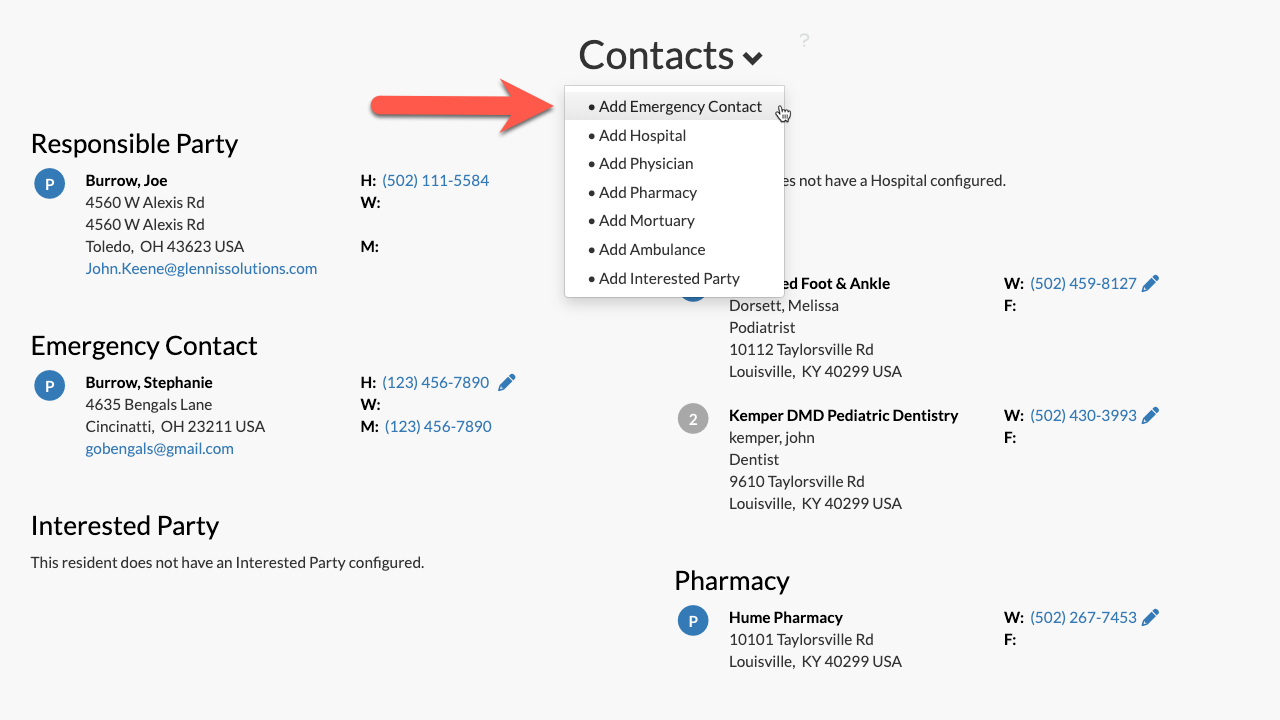
Step 2: Click the small pencil icon to edit an existing emergency contact OR select the down arrow next to "Contacts" and select "Add Emergency Contact" to add in a new emergency contact.
OR:
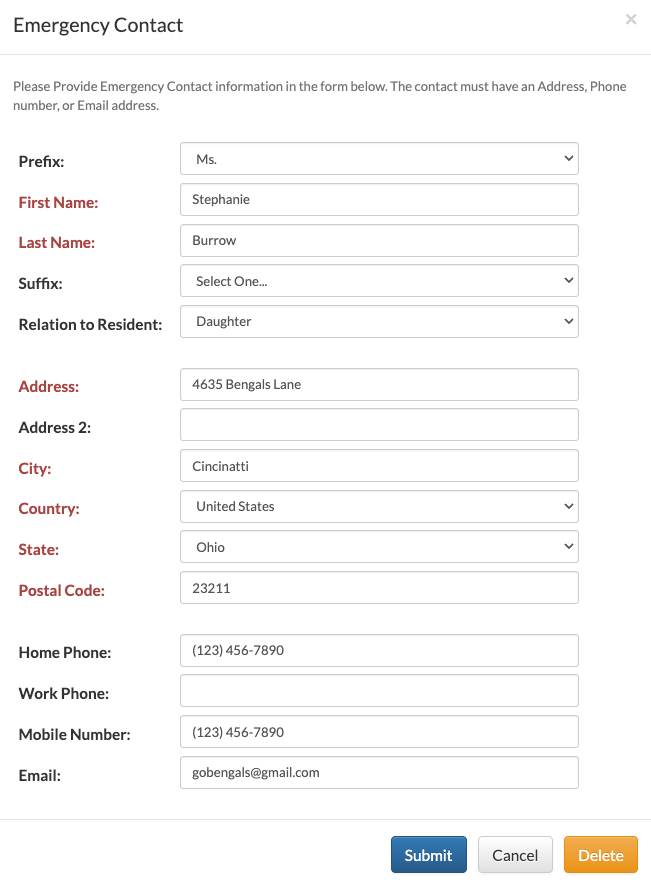
Step 4: Here, you can add or edit the resident’s emergency contact information. Emergency contacts can also be deleted by selecting the "Delete" button.
Step 5: Select Submit when finished.
Step 6: Follow steps 4-5 for the Interested Party and Responsible Party contacts as well.
Was this article helpful?
That’s Great!
Thank you for your feedback
Sorry! We couldn't be helpful
Thank you for your feedback
Feedback sent
We appreciate your effort and will try to fix the article