Overview
In this article, we will review how to review incidents.
How to Review Incidents
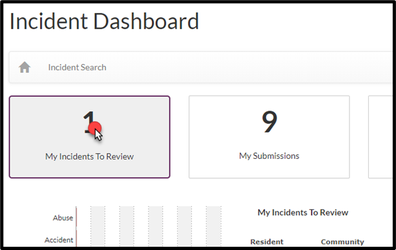
Step 1: From the Incident Dashboard, click on My Incidents to Review.
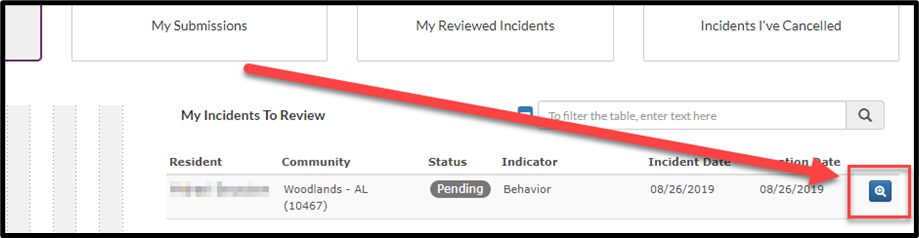
Step 2: Click on the Details icon.
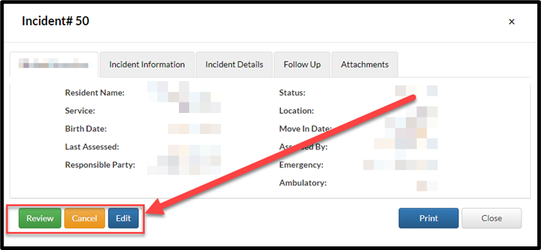
Step 3: Choose the appropriate action using the quick links on the Incident Detail window.
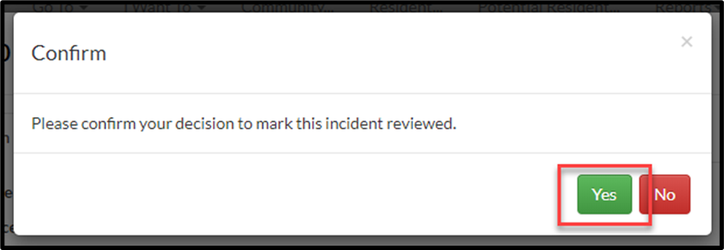
Step 4: Click Yes to confirm the review of the Incident.
Was this article helpful?
That’s Great!
Thank you for your feedback
Sorry! We couldn't be helpful
Thank you for your feedback
Feedback sent
We appreciate your effort and will try to fix the article