Overview
In this article, we will review documenting vitals via mobile care application.
Vital Documentation
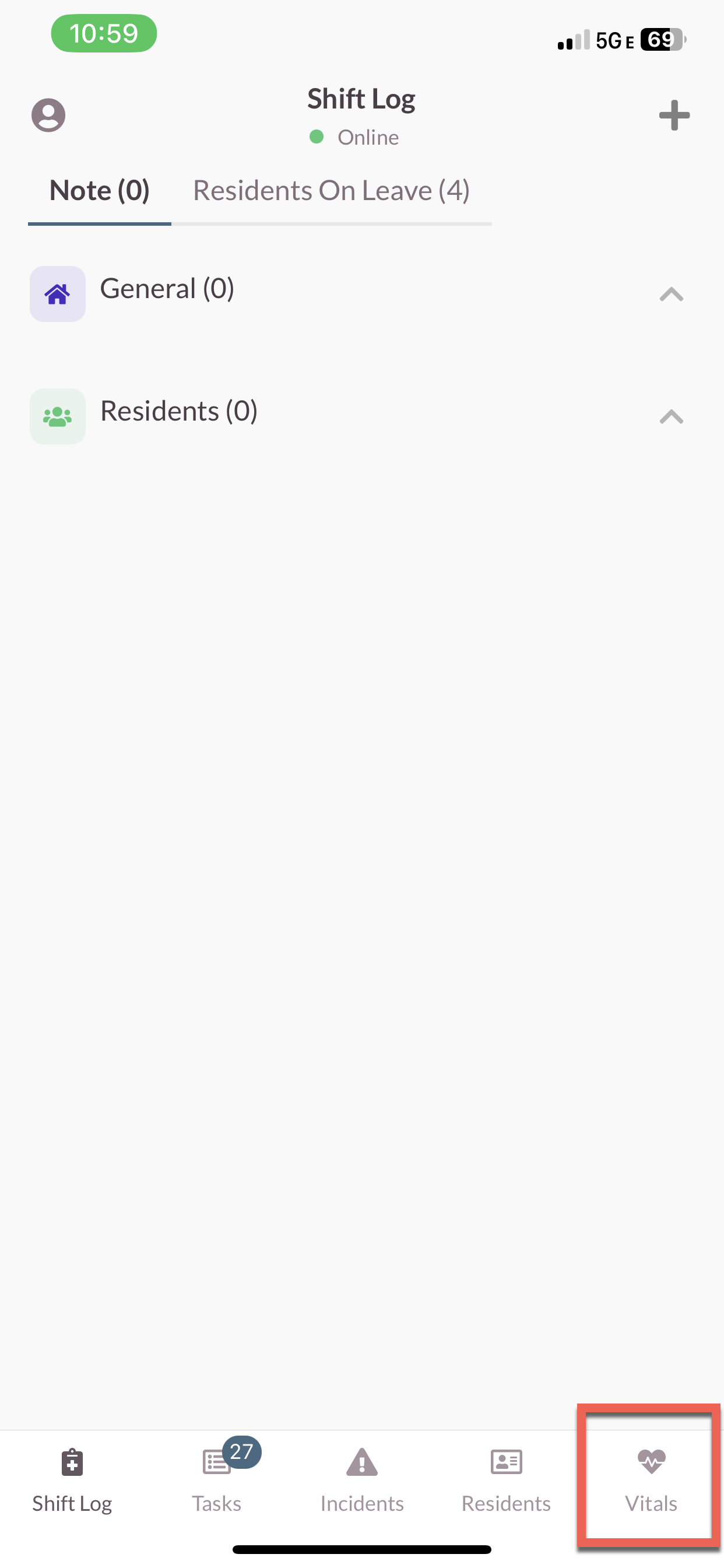
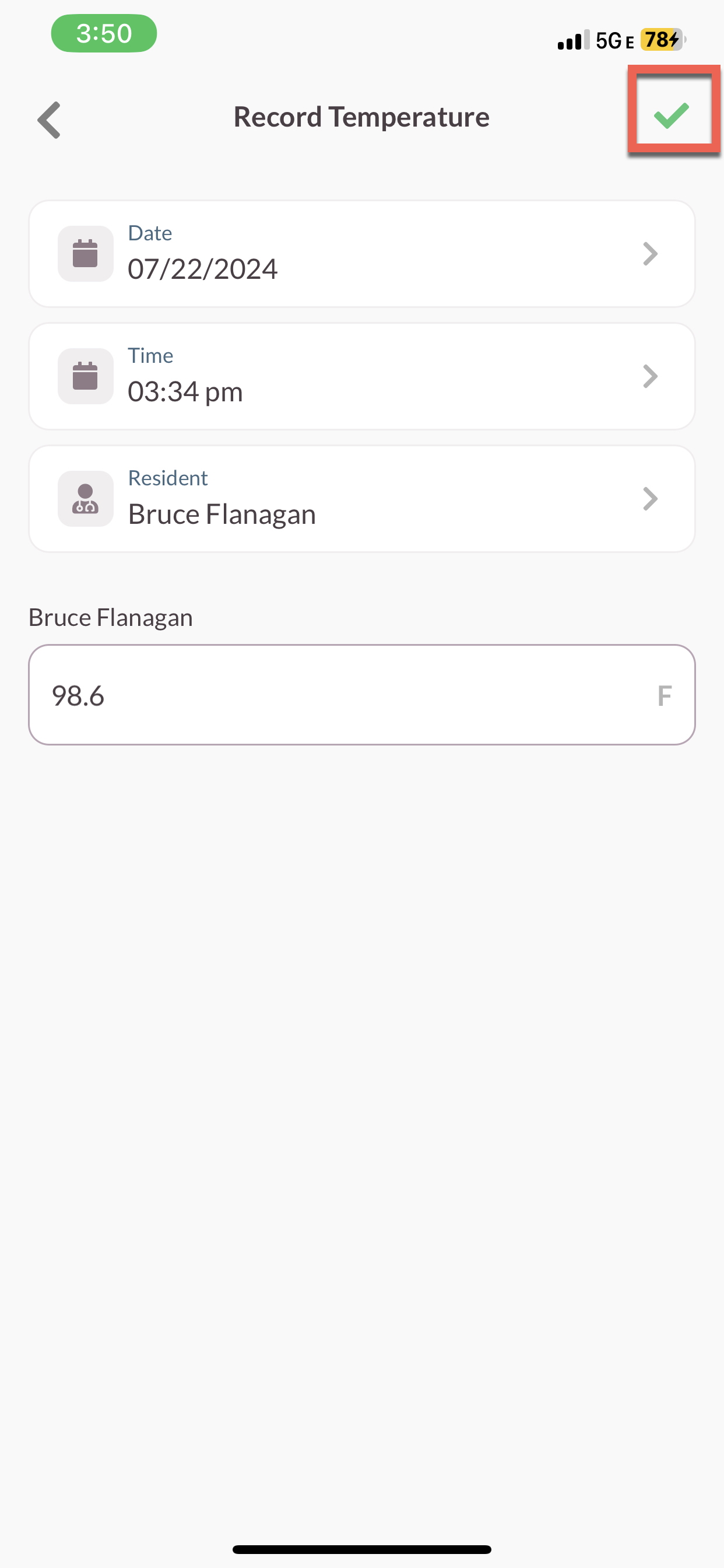
Step 1: Select the Vitals icon on the bottom of the screen.
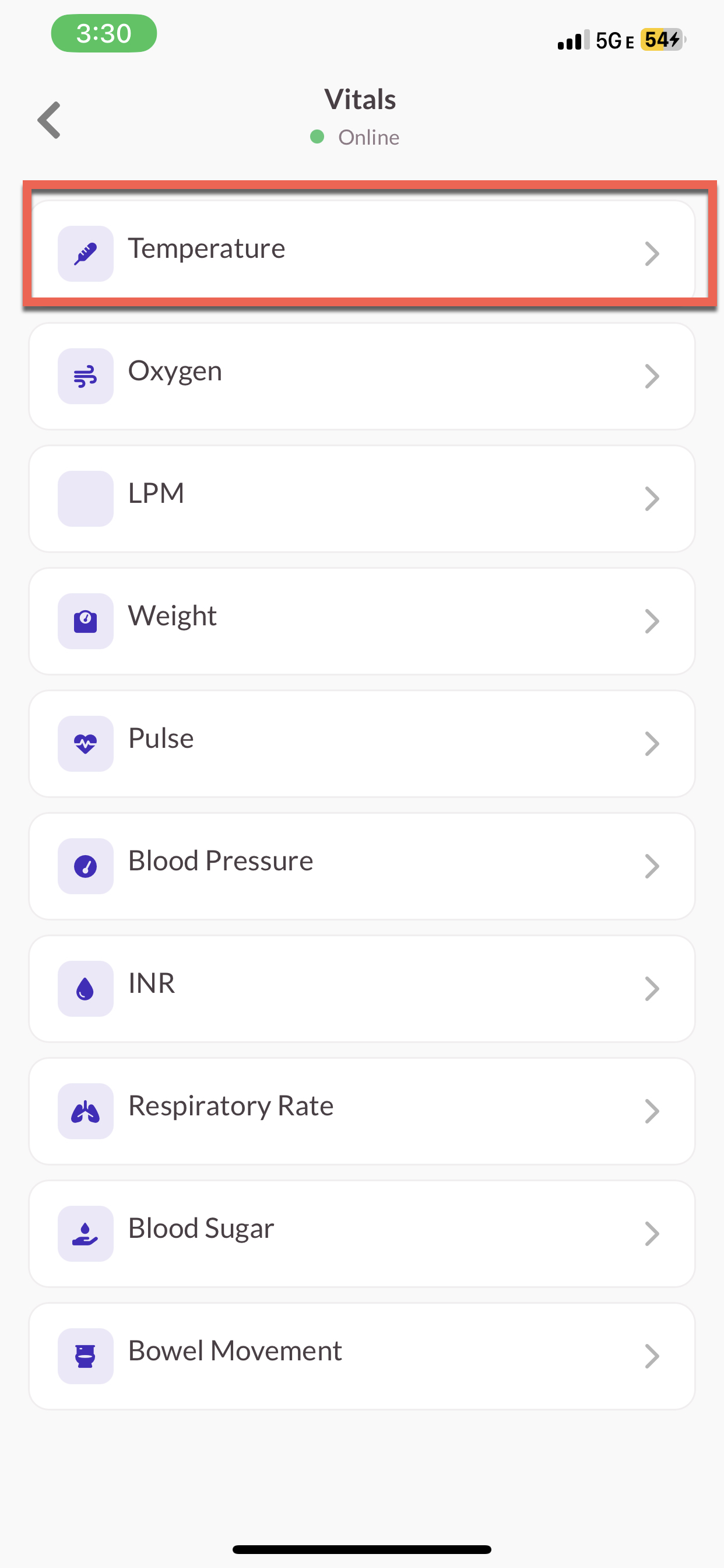
Step 2: Select the Vital you wish to document.
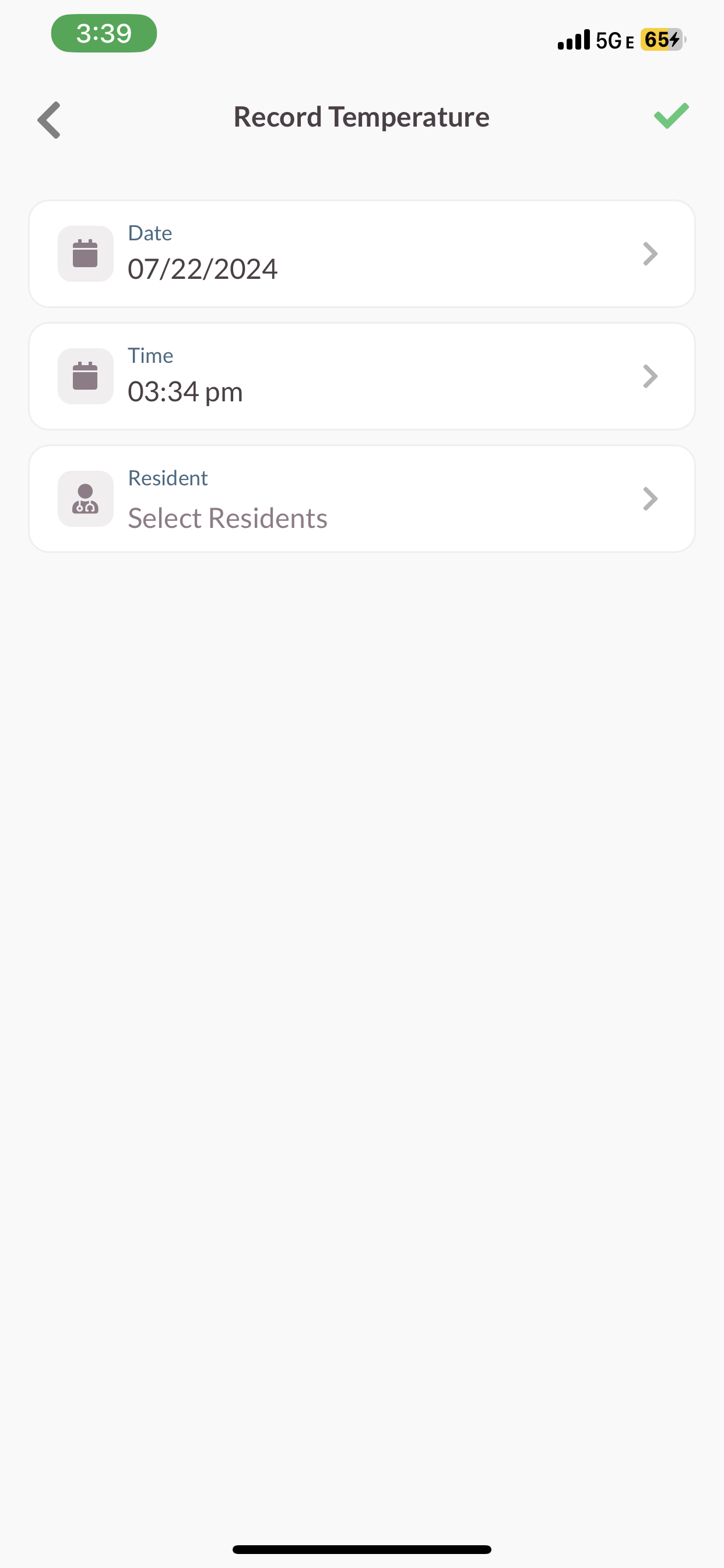
- Verify Date.
- Verify Time.
- Select Residents.
Note: You can select up to 5 residents at a time. Also note the updated app has added vitals categories such as weight, LPM, Pulse, Blood Pressure, INR, Respiratory Rate, Blood Sugar and Bowel Movement.
Step 3: Input the temperature for each Resident.
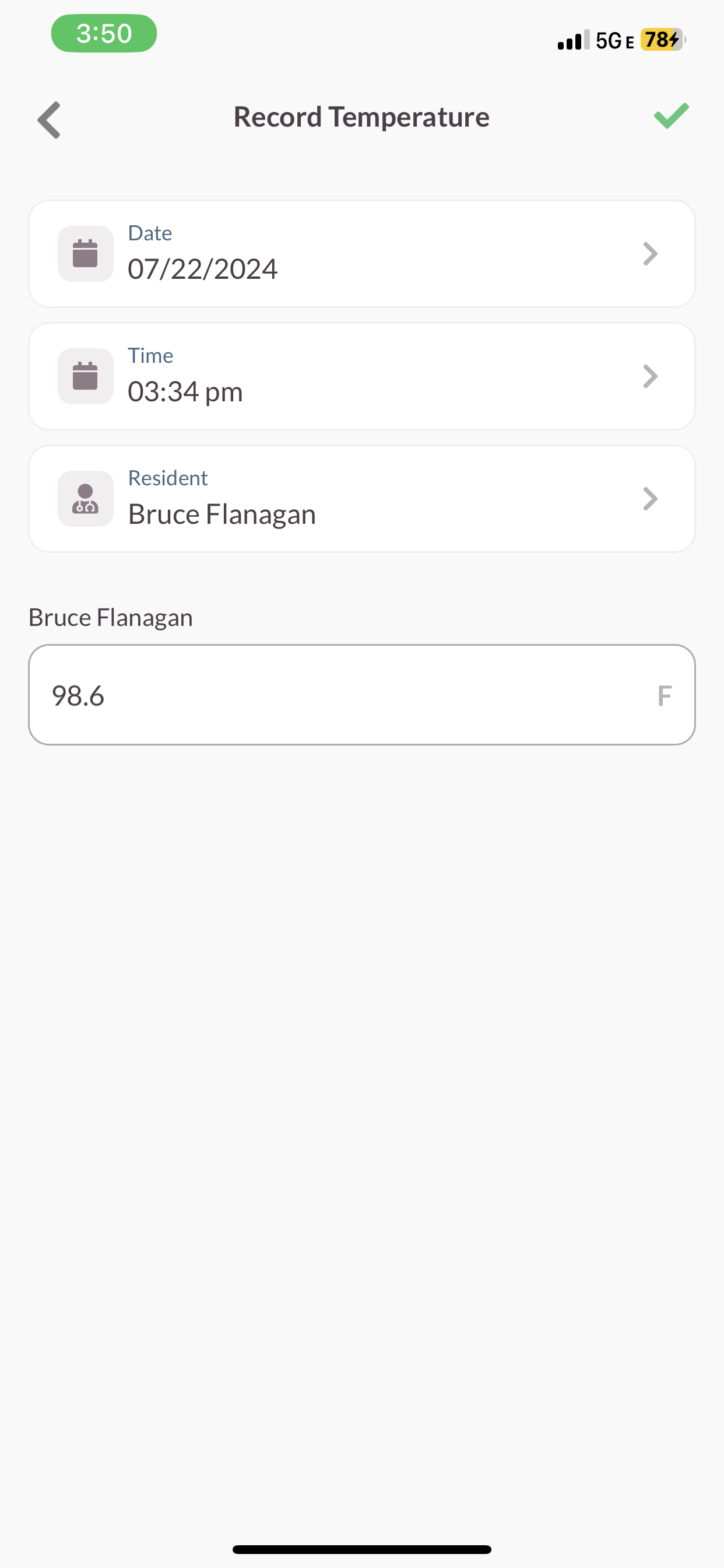
Step 4: Select the Green Check mark at the top of the screen.
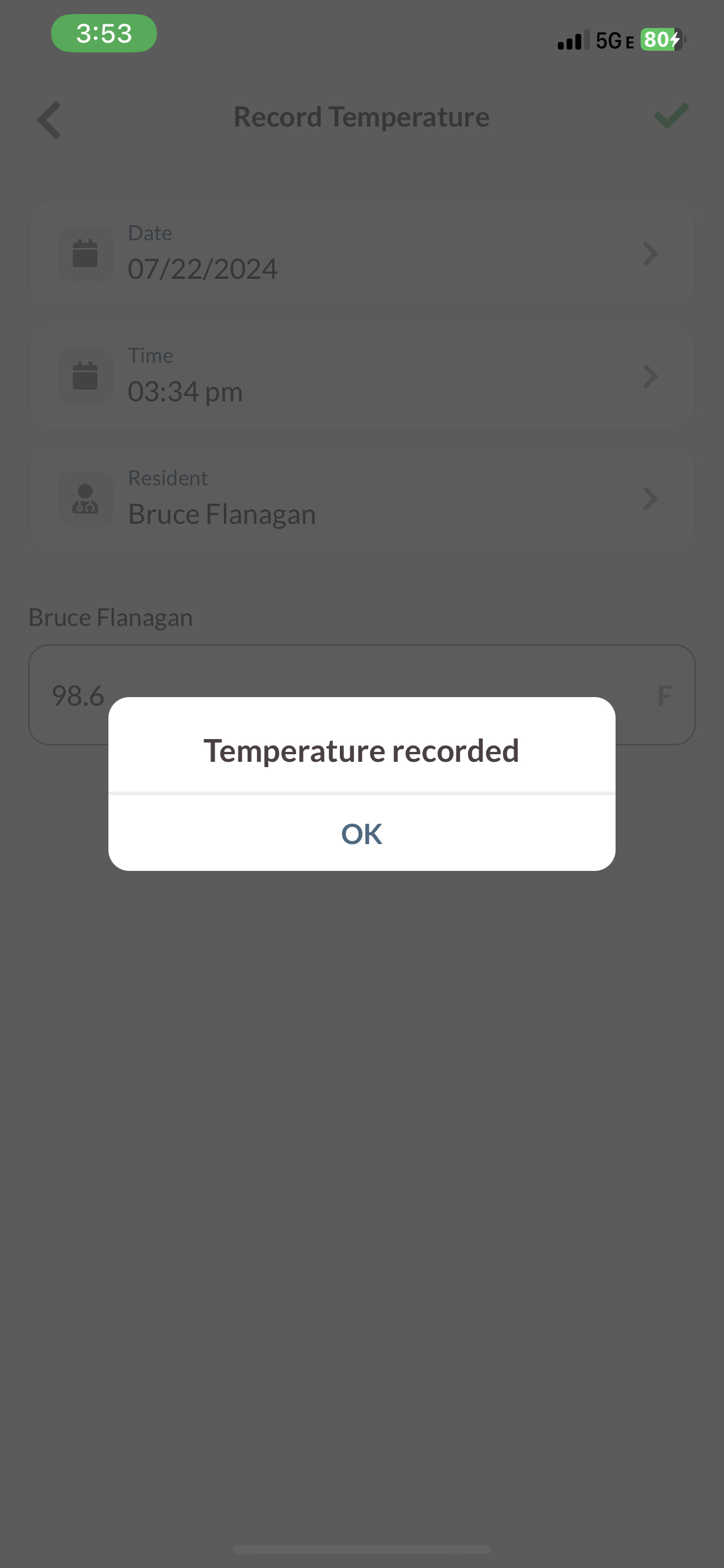
Step 5: Temperature recorded notification verifies it has been submitted.
Was this article helpful?
That’s Great!
Thank you for your feedback
Sorry! We couldn't be helpful
Thank you for your feedback
Feedback sent
We appreciate your effort and will try to fix the article